


Google has recently added an extra layer of security to all Google accounts. The 2-step verification requires that you enter a verification code received on your phone in addition to the usual password. But the 2-step verification is not available for all the Google services like AdSense and installed Gtalk client. If you want to turn off 2-step verification, then follow below steps.
Turn Off 2-Step Verification
1) Login to your Google account at the Google accounts.
2) Click on Using 2-step verification link under the Personal Settings.
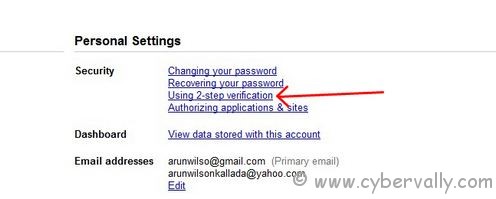
3) Click on the link Turn off 2-step verification.
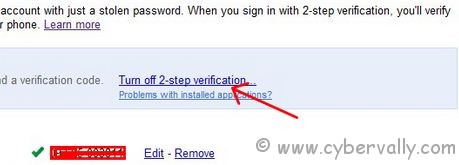
4) You would be shown a confirmation dialog.
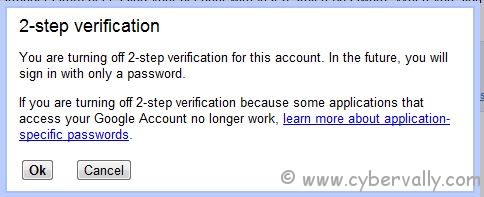
5) Click OK button in the confirmation dialog to turn off the 2-step verification for your Google account.
6) Now your 2-step verfication disabled.

If you enjoyed reading this post, please consider leaving a comment below or subscribing to the feed


nice
THANK YOU FOR BUT KNOW THANK FOR 2 STEP