

InternetLatest Updates

How to Open Google Chrome Web Apps Quickly Without Opening New Tab

If you are using any of Google chrome web apps, you may have noticed that you will need to open a new tab page to view the app icon and launch the application. It is very difficult to lunch Apps through new tab.
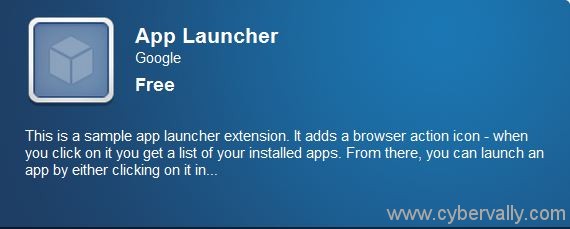

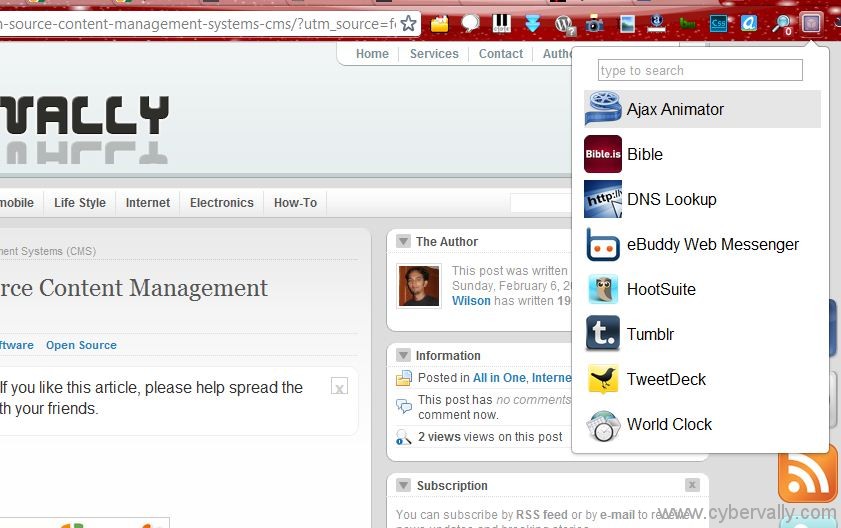
Use App Launcher application and it will add a button at the side of the URL bar will show a list of all your installed apps. In this app you can simply select and click to start apps. There is also a built-in search bar that would be useful if you have many of apps installed.

Download App Launcher Here

About author

Articles

Arun Wilson is a self-confessed tech and gadget freak. When he isn't busy navigating life, he loves sharing the latest updates on technology, internet security, and new gadgets. Connect with Arun: Follow on X | Facebook
Related posts
ComputerHow-ToInternetLatest Updates

Block Ads Across Your Entire Network Using Raspberry Pi and Pi-hole

Build your own network-wide ad blocker for a cleaner, faster, and more private internet…
Read more
InternetLatest Updates

Wi-Fi Extender vs. Mesh Network: Which One Actually Fixes Your Dead Zones?

Frustrated by Wi-Fi dead zones in your home? You’re not alone. As we rely more heavily on smart…
Read more
InternetLatest Updates

Top 5 Free Alternatives to Everyday Premium Applications

Let’s be honest: in 2026, subscription fatigue is no longer just a buzzword; it’s a verified…
Read more

2 Comments

Comments are closed.