

Gmail just launched a tool for Gmail users can customize their inbox with their own background images. With this Gmail theme editor you can change Background colours, Text colours, Links colours and add background image. This will give a new face for your Gmail account. Images can be uploaded from a user’s computer or they can be taken from their Picasa account. Google made Gmail more personalized once again.  Here is how to set up your own theme.
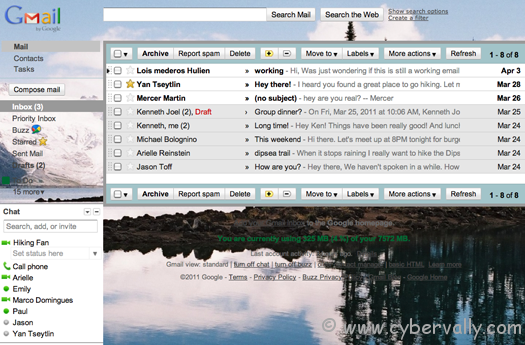
How to Setup Customized Gmail Theme
1. Login and go to the Mail Settings> Themes tab and choose “Create your own theme.â€
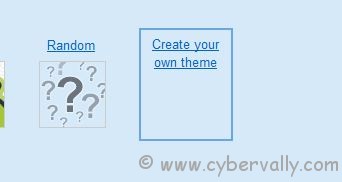
2. Now from the custom ctheme panel select background images for the main area and the footer.
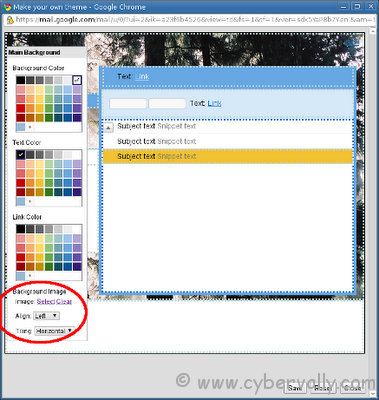
3. Upload image from your computer or select from Picasa album.
4. Save the theme and check your account. Done !!
If you’re a Facebook user and want to keep up on the latest Technology news why don’t you join the CyberVally Facebook page?
If you enjoyed reading this post, please consider leaving a comment below or subscribing to the feed

