


End of the day you need to close all the open applications before shutdown your laptop. When there are lot of applications running simultaneously on your laptop and when you want to close all of them you need to open them one by one and then press that close button on each of the opened application, it will be a waste of time if I manually close each of them.
Close All Windows is a very simple utility that doesn’t require installation. Instead of manually closing each application this program lets you close all running applications with just a single click.
How to Setup Close All
1.Download the zipped file here.
2.Extract the contents and create a shortcut to desktop.
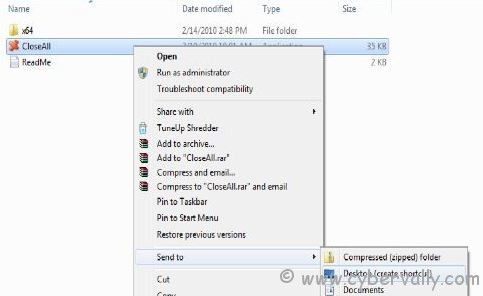
3.Drag an drop the shortcut to the task bar.
4. After dragging the shortcut to the task bar.

5. Open many windows and click the close all button. Now its working fine.
If you’re a Facebook user and want to keep up on the latest Technology news why don’t you join the CyberVally Facebook page?
If you enjoyed reading this post, please consider leaving a comment below or subscribing to the feed

