

Twitter officially launched direct photo uploading feature for everyone. This feature developed by collaboration with Photobucket. Now users can upload and share photos directly from twitter, without using any other third-party services. Twitter is rolling out this feature for all users gradually. If you don’t see the camera icon under your Tweet box, don’t panic uploading images feature would be soon made available to your Twitter account.

You can upload any image that is 3MB or smaller. Twitter will scale the image for you to fit into the display pane on the right side of your Twitter.com timeline. Make sure you don’t upload uncensored images on Twitter.
How to upload an image on Twitter
1. You will see two small icons in the lower left hand corner, licking on the camera icon to upload an image will prompt you to locate the image you want to upload on your computer.
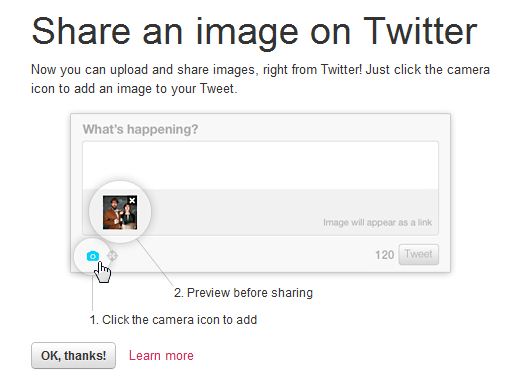
2. Once you’ve uploaded your image, enter your text and hit the Tweet button.
3. Once you’ve successfully tweeted, click on the Tweet to view the image in the display pane.

You can follow us on Twitter or join our Facebook fan page to keep yourself updated on all the latest from Microsoft, Google and Apple.

