


Before taking any 3G connection, it is important to find out whether the 3G network exists in your area or not. To get  3G service, your 3G enabled handset must have access to a UMTS tower (Universal Mobile Telecommunication System) which is different from the regular 2G mobile tower.
A simple trick help you to find out if 3G network exists in your area or not.
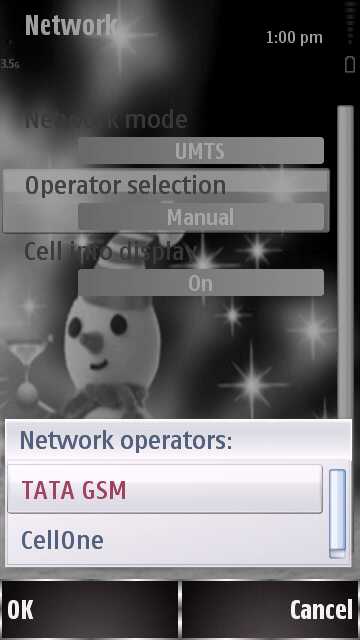
- Get your 3G handset and visit the Network menu [ example – Nokia ]
- Go to Settings – Connectivity.
- Select network
- Change  Network Mode to UMTS or 3G
- Select Manual under the Operator selection.
- Wait for your mobile to search for any available UMTS signals.
As the figure shows, I have TATA GSM and Cellone signal in my area. If you don’t get any network, it  means that your area is not covered under the 3G network.
If you enjoyed reading this post, please consider leaving a comment below or subscribing to the feed 😀

