

Google Documents is a free cloud based program which help us to create and share word , spreadsheet and presentation without any installation of software. The main advantages of this program is that uses can do creating and editing documents in real time. Google Docs supports common file formats such as .doc and .xls etc.
If you want to download all the document from you Google Doc account, then you need to do some simple steps for it. This will help you to download all your documents to your pc and you can edit it offline using softwares like MS Office.
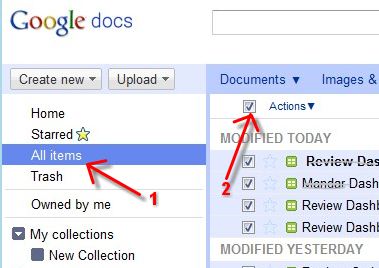
1. Go to Google Docs account and click on the All items link on the left side menu as shown.
2. Then click on the checkbox next to Actions to select all the documents.
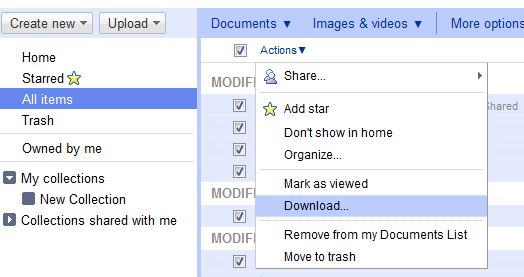
3. In actions click on download buttont to start downloading process.
4. In download window select ” All items tab” and select which format you want to convert the document to before downloading them. After that press download button for download file as ZIP format.
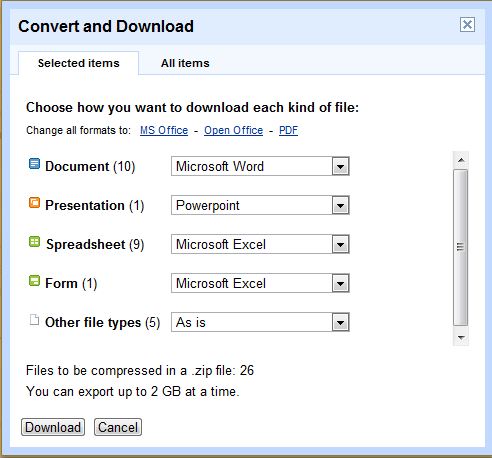
You can extract the documents from this ZIP archive and edit them in an office software like Microsoft Office or open office for offline editing.
You can follow us on Twitter or join our Facebook fan page to keep yourself updated on all the latest from Microsoft, Google and Apple.

