


Google Chrome allows you to remove Individual Domain cookies if you want to. This would be particularly helpful if you are into web development and wanted to selectively remove cookies for your website for testing purposes.Cookies are the text files that you computer stores in its memory when you visit a particular website.If you want to know how you can remove cookies from your Google Chrome, then here is the steps you must follow.
Remove Individual Domain cookies
1) Click on the tools icon to the left of the address bar to access the Settings menu, and choose Options from the drop-down menu.
2) In the Options menu, select Under the Hood.
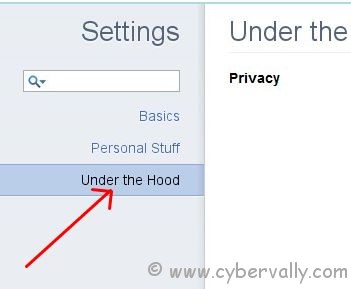
3) Click on Content Settings to bring up yet another menu.
4) In Content Settings, open up All cookies and site data.You can see a complete list of the cookies store on your computer.

5) Select cookies which you want to remove and click Remove to just remove the cookies that you selected, or Remove All to delete all the cookies in the list.
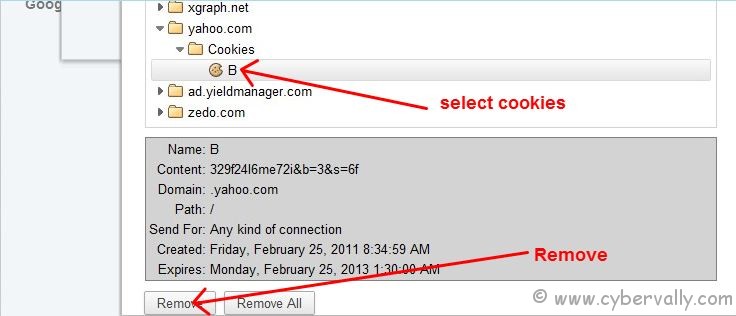
This will remove all cookies listed in that folder.
If you enjoyed reading this post, please consider leaving a comment below or subscribing to the feed


1 Comment