

 Facebook chat is now a reality with the new Messenger 2011. So many messengers are also useing Facebook. By connecting Facebook with Messenger, you get  notifications as people come online in Facebook or Messenger. You can update your facebook status directly from Live messenger, chat with your facebook friends, tag them in facebook photos, and comment on their facebook status updates.
Steps To Integrate Facebook
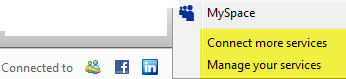
- In the bottom right of the live messenger window you will see option to add facebook to live messenger as shown in the image below.
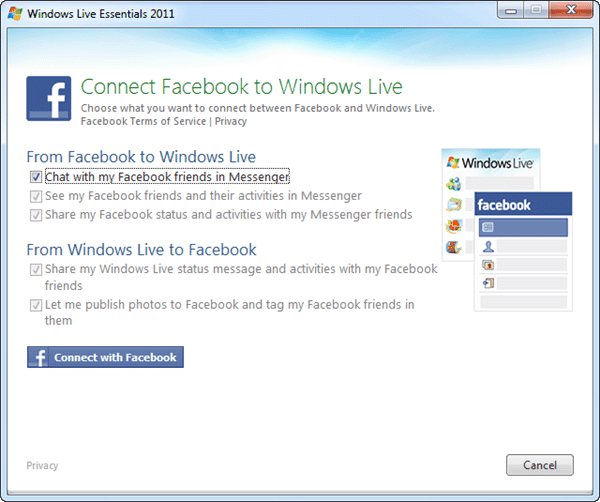
- Update the permissions and connect to your facebook account.
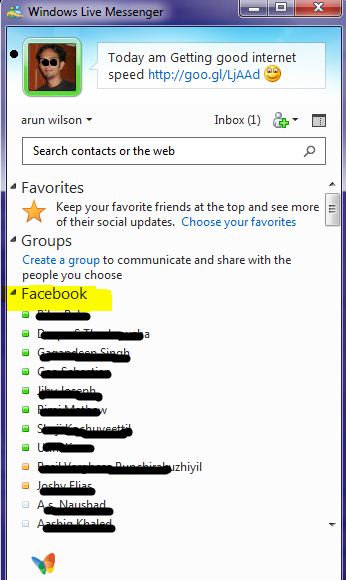
- Once you have completed your connection to your facebook friends, you can see your facebook friend list in live messenger and you can start chatting with them and can interact with them using live messenger interface.
Now setup done and you’ll receive a message saying “You’re Connected to Facebook†and you’ll see all your Facebook friends online right inside windows live messenger.
Hope it is useful for you. Share your comments and quires about it in the comments box below 😀


Try same .. wokin fine with msn