

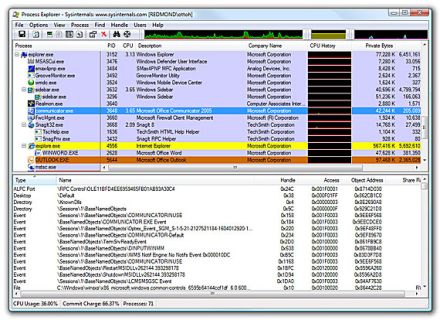
Process Explorer is a very powerful alternative to the standard Windows Task Manager. The program examines all the active processes, their sub-processes and all the handles and dlls that they use. It can be used to cut down your RAM usage or even to find out what exe are running behind processes.  Process Explorer shows the complete detail of each and every process(including sub-processes) in a simple window. The Process Explorer is divided into two main parts. The top one shows all the running processes, and the bottom one depending on the chosen mode  and shows either the handles or the dlls that they use.
Main Features of Process Explorer
– Get system Information like how much RAM is being used currently, what programs are using up much of the processing etc.
– Get information about any of the programs which are using too much of the RAM.
– Solve system related issues like slowing down of your PC, program crash etc.
Download Process Explorer
If you’re a Facebook user and want to keep up on the latest Technology news why don’t you join the CyberVally Facebook page?
If you enjoyed reading this post, please consider leaving a comment below or subscribing to the feed


1 Comment