


People want privacy while surfing the Websites, and also do not want to leave any history contain what sites they’ve visited, what information they’ve entered, and what they may have downloaded. Private Browsing will allow you to browse the Internet without the browsers retaining any of the data about which sites and pages you have visited. Popular web browser has a built in private browsing feature to  protect you from prying eyes.
How It is Working ?
Google’s Chrome browser, private browsing is called “incognito.† To start viewing in incognito mode all you have to do is Click settings button.
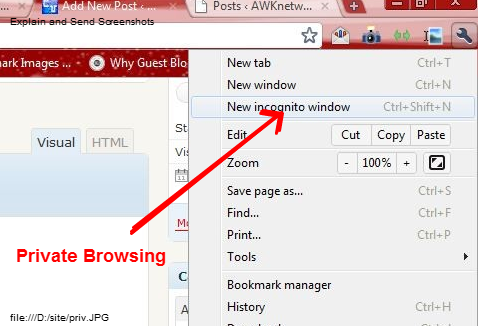
Private Browsing will not be deleted when you closed using this feature. However, temporary files you downloaded will be deleted from your computer’s temporary folder. After that none of these files will ever show up in the Downloaded files list.
If you enjoyed reading this post, please consider leaving a comment below or subscribing to the feed 😀

