

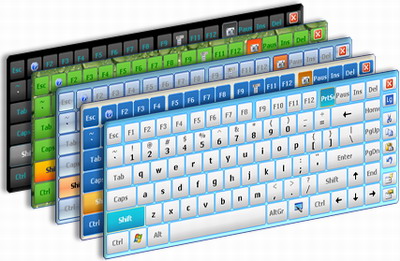
If you are using online banking, online shopping and  and more, you must need to make sure that you access the correct website instead of scamming website that looks almost the same like orginal. Hackers using some key logger softwares for detect user names and passwords. To avoid this you need to use virtual keyboard. Windows 7 virtual keyboard help you to enter personal details with security.
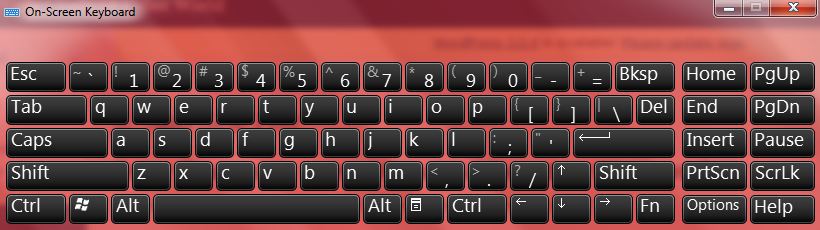
Steps to Setup
- Click Windows Logo+R
- Type “OSK†in run box
- On-screen virtual keyboard ready now
If you enjoyed reading this post, please consider leaving a comment below or subscribing to the feed 😀


Hay this is wrong,
Virtual keyboard which is integrated in to windows os is nothing but a software which just replicates your actual keyboard.
Most of the keyloggers can be of two types hardware-based or software-based
Hardware based keyloggers are hardware devices which is connected to your output device which replicates its output and also stores data in its own memory.
http://www.vellard.com.au/OS-Keyshark-Hardware-Keylogger-PS2-p-16550.html
Software based keyloggers are softwares which run’s in the background and stores all the keyboard hit events and either it stores it in to hard disk or send it to its owner (through ftp, email etc..). most of the keyloggers comes into this category
Now if the keylogger is hardware based it wont be able to capture any events which is created by a software like virtual keyboard. But if it’s a software based it can capture those events also.
Now the question is which is safe..??
Answer to this question is simple NOTHING..
But if the website provides a virtual keyboard in its website itself (Like icicibank do). That is the safest method to type password because its running inside our browser and data is copied in to textbox with the logic written by the website programmer.
Thanks for info… I think it will protect us from hardware keylogger attached with keyboard . Any way thanks for ur valuable info..