

If you could have a look at the Bing homepage, which displays pretty cool wallpapers every day. No you can use the Bing image as lock screen background for windows 8. For that you need follow simple setps that lets you the facility of set these images as your lock screen background automatically. This will change your Windows 8 lock screen with a new beautiful image from the Bing home page.
Set Bing Homepage Picture as Lock Screen Background
- Go to Windows 8 start window or open app search bar and search ” Bing “
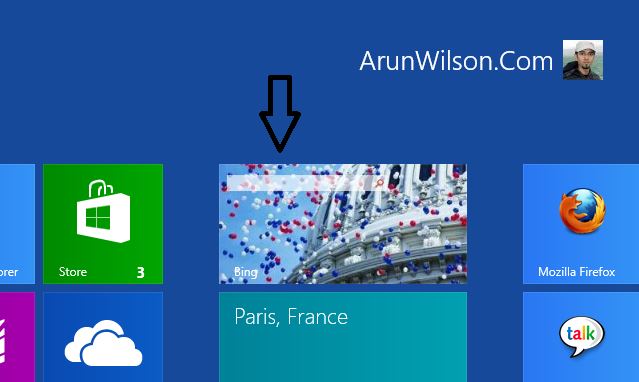
- Open Bing application. Now you can see beautiful Bing wallpaper.
- Now right click on image and click on ” set as lock screen “
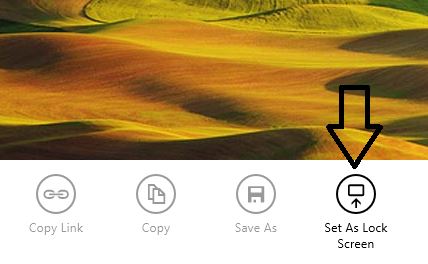
Once the lock screen is setup, the Windows 8 lock screen will be displayed with the selected background every time you login to Windows 8.
We value your comments. Feel free to discuss here any ideas. Share this information with your friends.
You can follow us on Twitter or join our Facebook fan page to keep yourself updated on all the latest from Microsoft, Google and Apple.


Dude. You wrote “Ping” instead of “Bing”.
Thankyou very much for this notification.