

Microsoft Windows 8 boot screen has been leaked with latest Windows 8 Milestone 3 (7989). This new Start screen and some other new goodies have been locked in this x64 build of Windows 8. But Deviant art user Misaki2009 created “Windows 8 Boot screen† skin which enables Betta fish boot screen for Windows 7.
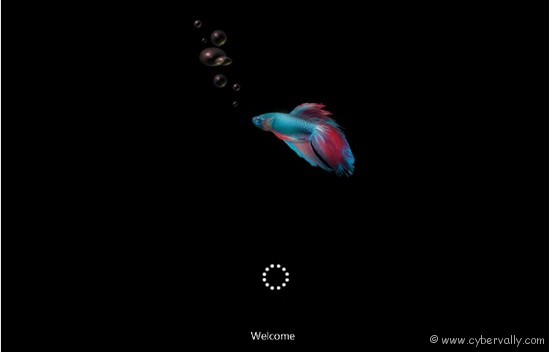
How to Use Betta Fish Boot Screen
1. Download from here and extract Windows 8 BootScreen contents to a folder. There is two files, one is Windows 7 Boot Updater and another is skin file.
2. First Run Windows 7 Boot Updater and save your current boot screen from File menu by clicking Save boot Skin as. Don’t forget this step other wise you will not get back your old boot window.
3. Now select Load boot skin from File menu and select Windows 8 Boot skin aka Windows 8 BootScreen ALPHA from extracted folder.
4. Click Apply button.
5. Restart your Computer, Windows 8 Betta fish boot screen ready for play.
If you’re a Facebook user and want to keep up on the latest Technology news why don’t you join the CyberVally Facebook page?

