

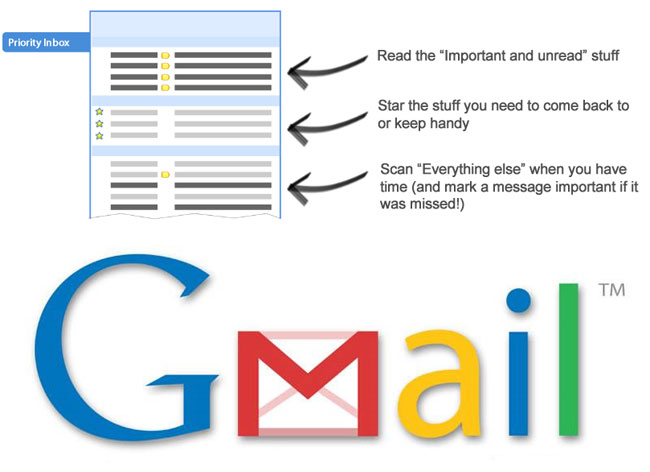
Priority inbox automatically separating out your most important messages, Priority Inbox makes it easy for you to read and respond to the messages that matter. Users who click the priority inbox navigation link on the side of their mail will now see messages grouped in three sections: important and unread; starred; and everything else. Gmail automatically filters incoming email into the important and unread or everything else category while the starred category is reserved for messages that have been flagged for future reference.
How it works
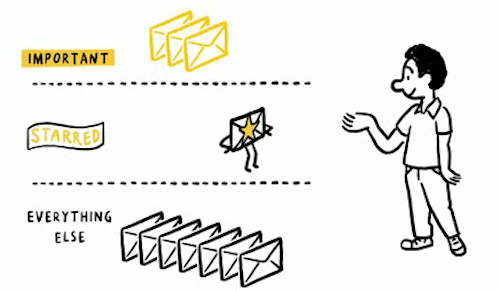
Gmail’s servers look at several types of information to identify the email that’s important to you, including who you email and chat with most, how often you email with these people, and which keywords appear frequently in the emails you read.
If Priority Inbox makes a mistake, you can use the 
 buttons to correctly mark a conversation as important or not important, and Priority Inbox will quickly learn what you care about most.
Customize Priority Inbox You can change what type of email you see in each section. Just click on the section headers or visit the Priority Inbox tab under Settings to customize. Use filters to guarantee importance If you want to be absolutely sure that some messages are always marked as important you can set up a filter and choose “Always mark it as important. Search by importance If you want to see all the messages that have been marked as important, both read and unread, do a Gmail search for “important.” Switching back to your old inbox If Priority Inbox isn’t for you, you can easily switch back to your normal inbox by clicking “Inbox” on the left or hide Priority Inbox altogether from Gmail Settings.
Check out your Gmail for more details.


Excellent information you have on this site. Keep it up and hop over to my free movies site and take a peak.