

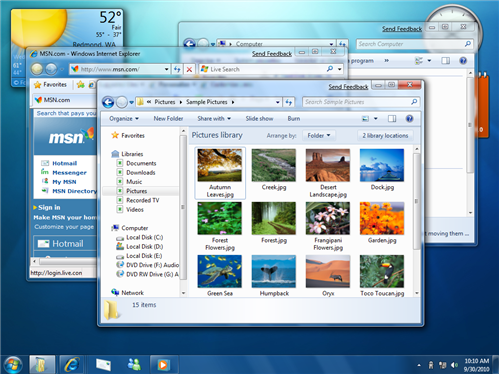
You are looking for Windows 7 theme for your Windows XP ? Here we are showing one theme pack for windows XP. You needs to follow simple steps for install this pack in your XP.  This pack  gives you windows 7 visual styles with superbar, windows 7 start orb, windows 7 taskbar and gorgeous windows 7 wallpapers for your Windows XP.
Steps for Windows 7 Theme For XP:
- This Windows 7 Theme For XP is by a deviantart user Sagorpirbd and it makes your Windows XP look just like Windows 7.Download the Windows 7 Theme for XP from here.
- Download UX Theme Patcher .rar file Download
- Now click the UXTheme Multi-Patcher 6.0.exe file
- Extract the  Theme ZIP File and you will find the following folders
- Balero – The vista like start button.
- Styler – Styler Toolbar†which can entirely changes the default Windows XP’s toolbar.Requires Styler to be installed first, It can be downloaded from here.
- Windows 7 Start Menu – Replaces the default XP start menu with a newer version.
- Wallapaper.
- Once it gets finished open the Theme\Windows 7 M1 VS folder
- Double click the Windows 7 M1 VS.msstyles file
Yes, You are completed.  Now restart PC and feel the difference 🙂

