

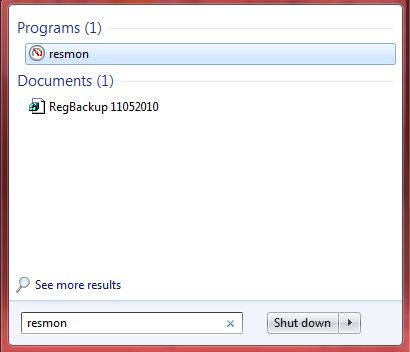
 In Microsoft Windows 7 had a feature called reliability and performance monitor which help us to track  the usage of your computers resources such as hardware, software etc.You can start this tool by click on the windows start button and type ” resmon ”  in the search box.
The resource monitor gives detailed information on how your hard disk, memory, processor and network is being used.
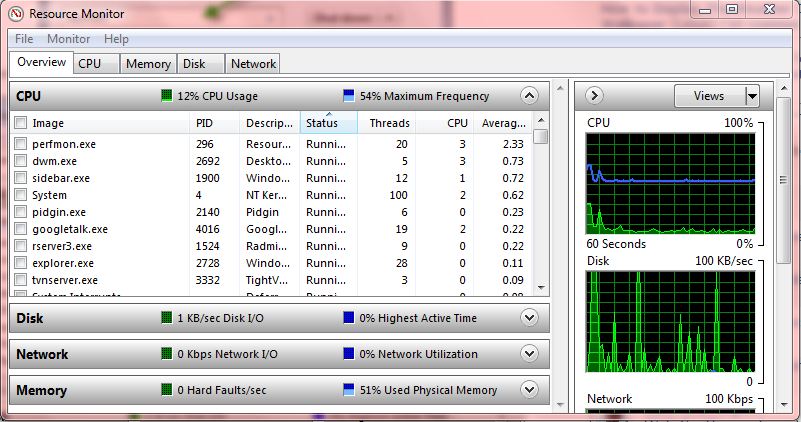
This Resource monitor is an advanced version of the normal task manager and here you will get much more information. This information goes to an extent where you will be able to see detailed I/O information of your hard disks activity.
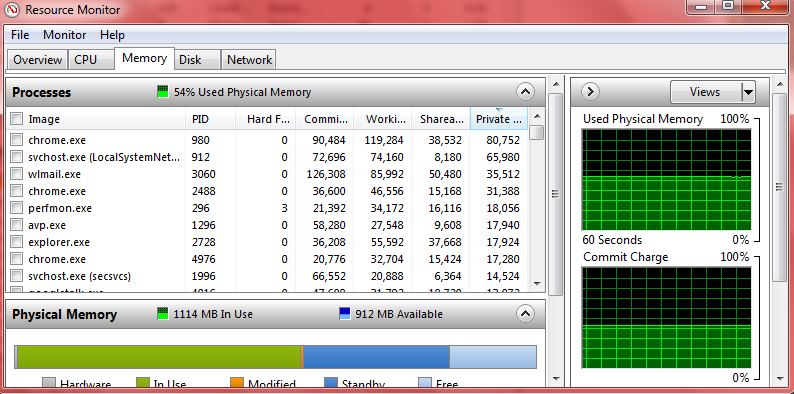
Reliability Data available in the Windows 7 Resource Monitor to showing what’s happening inside the computer. The Resource Monitor showing all with graphs and statistics galore.
If you enjoyed reading this post, please consider leaving a comment below or subscribing to the feed 😀

