


You have bookmarked number of web sites but you can access these bookmarks only from your own PC. Synchronizing Bookmarks can be of great help for people with multiple computers. It could prove very useful in cases where person access nearly same sites at office and at home. Google Chrome uses your Google account to store bookmarks online. This way you can synchronize any Computer by logging into your account. Here are the steps to synchronize your bookmarks between multiple PCs in Google Chrome
Here is how you can sync the bookmarks using your Google account
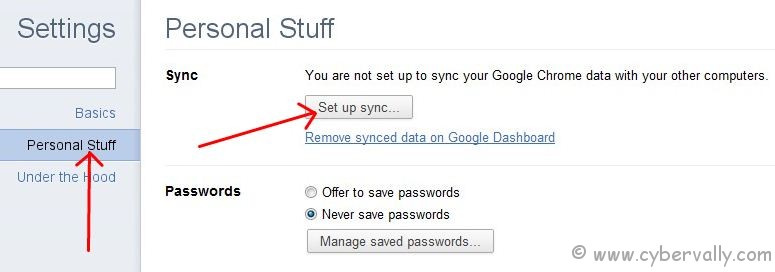
1) Go to Tools –> Options -> Personal Stuff and click Set up sync.
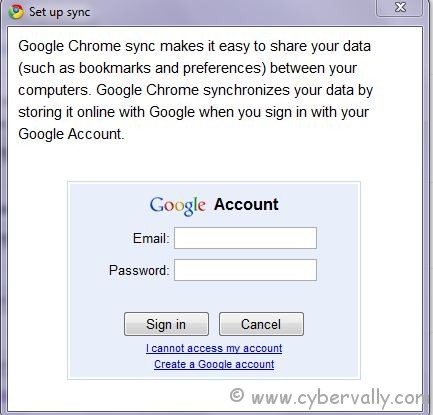
2) Enter your Google account and password in the popup, and click Sign in.
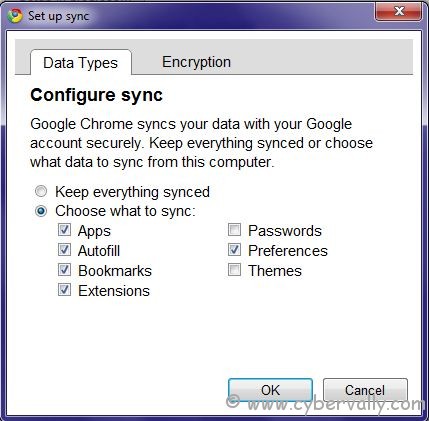
3) Now, you can select data which you want to sync.
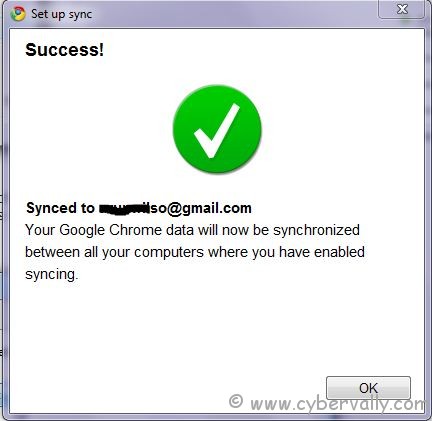
4) You w’ll see a confirmation that your browser is now synced with the cloud.
Go to other computer and follow the same process. Chrome will ask to merge sync bookmarks with the previous original bookmarks.
In case you only want to do one time synchronization, then go to Tools –> Options -> Personal Stuff and click on ‘Stop syncing this account’.
If you enjoyed reading this post, please consider leaving a comment below or subscribing to the feed

