

InternetLatest Updates

How to Subscribe RSS Feed for a Google+ User

If you want to follow updates from a specific Google+ user or website in your RSS feed reader, it’s not possible because RSS feeds are not yet officially supported by Google Plus. But there is an unofficial service called Google Plus Feed available that turns a user’s stream into an RSS feed. You can keep updated with all the posts using this RSS feature.

Steps to Setup RSS feed For Google Plus

1. First get the profile ID of any user, you can be found from the profile link.
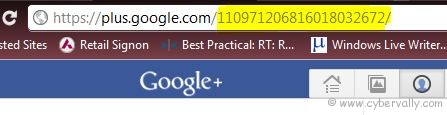

2. Add profile ID at the end of the following URL: http://plusfeed.appspot.com/

( http://plusfeed.appspot.com/110971206816018032672/ )

3. Add this link in to your RSS reader or Google reader. Now you can see feeds from Google+ user.
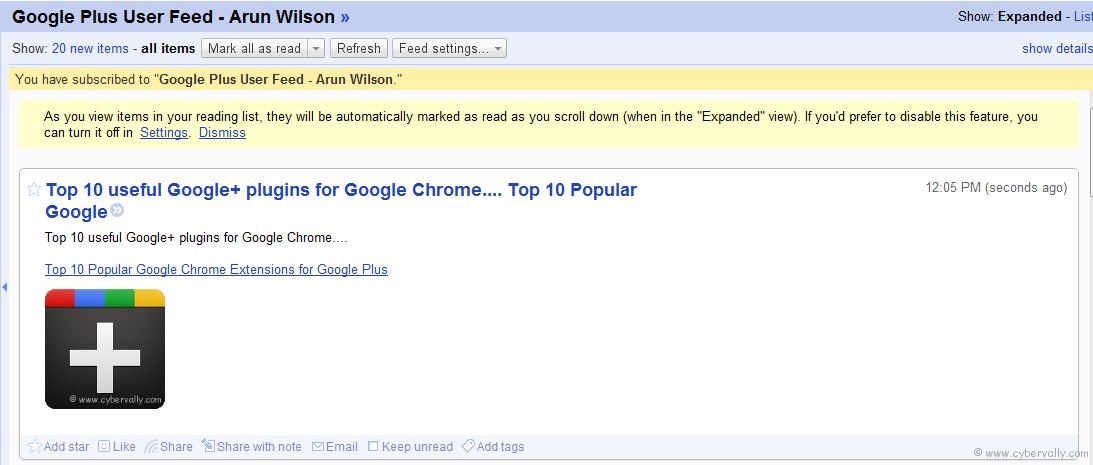
Do same steps to subscribe to other Google+ users.

If you’re a Facebook user and want to keep up on the latest Google+ Tricks, why don’t you join the CyberVally Facebook page?

About author

Articles

Arun Wilson is a self-confessed tech and gadget freak. When he isn't busy navigating life, he loves sharing the latest updates on technology, internet security, and new gadgets. Connect with Arun: Follow on X | Facebook
Related posts
ElectronicsLatest UpdatesMobile

Samsung Galaxy S26 Series Explained: Everything You Need to Know Before Buying

Samsung has officially entered the “Agentic AI” era with the launch of the Galaxy S26…
Read more
How-ToInternetLatest Updates

Building Your Own Private Cloud: A Raspberry Pi Home Storage Solution

In an age where data privacy and control are increasingly important, relying solely on commercial…
Read more
How-ToInternetLatest Updates

Unlock Your Reach: How to Drive More Traffic and Views to Instagram Reels

Instagram Reels have exploded in popularity, offering a dynamic way to share short, engaging video…
Read more

1 Comment

Comments are closed.