

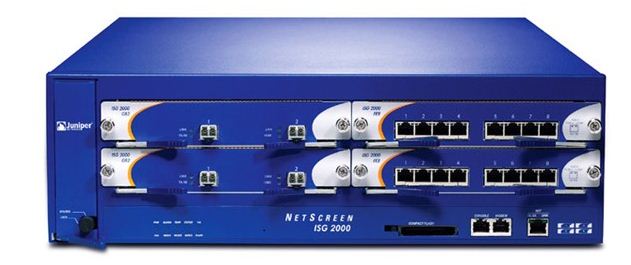
Network security is an important fact for all type of business. If network is not secure it will affect the security of your organisation. Firewalls are normaly using for internet security. Firewalls have ability to protect from virus, worms and network attacks.
Firewall from Juniper Networks is a purpose-built security appliance that delivers a perfect rated performance, security and LAN\WAN connectivity for small branch office and small business deployments. Traffic flowing in and out of the branch office can be protected from worms, Spyware, Trojans, and malware by a complete set of Universal Threat Management (UTM) security features including Stateful firewall, IPSec VPN, IPS, Antivirus , Anti-Spam, and Web Filtering. Juniper have diffrent types of firewalls. It known as a traditional branch office router or as a combination security and routing device to help reduce IT capital and operational expenditures.
Features & Benefits
- One ScreenOS image across the entire product line
- Stable firewall inspection to stop application level attacks
- Site-to-site VPN to establish secure communications between offices across the Internet
- Virtual Router support to make internal, private or overlapped IP addresses to a new IP address
- Decustomised security zones. Multiple interfaces can be bound to a single security zone for ease of administration.
- Transparent mode to allow the device to function as a Layer 2 IP security bridge, providing firewall, VPN and DoS protections with minimal network change
- Configuration via graphical web UI, CLI (console, telnet or ssh) or Juniper’s NSM product
- IPv6 support
- Multiple routing protocols supported including: OSPF, BGP, RIP v1/v2
- Wireless options on some of the products in the SSG family
- Modular expansions in most units to support other WAN or LAN interfaces depending upon the SSG model often replacing existing routers and yielding additional cost savings and recurring expenses
Juniper Netscreen Commands
Interface
| get counter statistics | Show interface statistics (CRC errors etc) |
| get interface trust port phy | Show physical ports for a certain zone |
| get driver phy | Show all link states of interfaces |
| get counter statistics interface ethernet3 | Show hardware stats on interface |
| set interface [interface] no-subnet-conflict-check | Allows you to configure multiple interfaces in the same
IP broadcast domain. |
Current Settings / Values
| get envar | get environment variable |
| get config | get device configuration |
| get system | get system information |
| get arp | get arp cache |
| get route | get routing table |
| get system | i Box | get port-mode |
| get alg h323 counters | get the ALG counters |
| get alg | get status of ALGs (disabled or enabled) |
| get sys-cfg | get default settings for the device |
| get sys scale | get basic system limits |
| get debug | get currently enabled debug level |
| get tcp | get system socket information |
NAT
| get mip | get mip (nat) |
| get vip | get vip (nat) |
| get nat cookie | get show nat cookies |
Statistics / Performance
| get perf cpu detail | get cpu performance |
| get session info | get load on firewall |
| get counter flow | Show flow stats (fragmentation etc) |
| get counter screen | Show screen stats (SYN Floods etc) |
VPN
| clear ike-cookie [gateway ip] | clear ike cookies |
| clear sa [id] | clear sa |
| get vpn | show vpns |
NSRP
| get nsrp cluster | Show cluster info |
| get nsrp monitor | Show list of monitored interfaces |
| get nsrp vsd id 0 | Show VSD id 0 |
| get counters ha | Show HA interface hardware counters |
| exec nsrp sync global-config check-sum | Allows you to see if the cluster configs are syncronised |
| exec nsrp sync global save | Sync’s the nodes.A reboot is required to complete the update. |
| exec nsrp vsd-group 0 mode | Fails over the cluster. Run this command on the Master node. |
IGMP
| set interface ethernet0/1 igmp router | enable IGMP on interface eth0/1 |
| get vrouter trust-vr protocol pim | get the multicast sources visible to your ScreenOS device |
Misc
| set exec port-mode | set the port mode |
| set flow tcp-mss 1460 | sets the MSS |
I think it is very useful for network admins. Share your comments about it in the comments box below 🙂

