


The Windows Scheduler Configuration enables you to schedule any program, task, or a web page to run at a specified time. You can also schedule a task to run daily, weekly, monthly , etc. The Scheduler Configuration enables you to add, modify tasks from a central point.
Steps to Setup
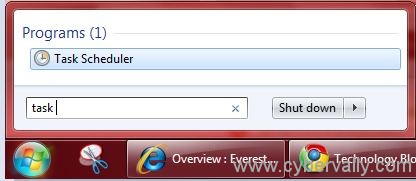
Click on the “Start†button and type tasks in the search box and left click the Task scheduler icon to open it.
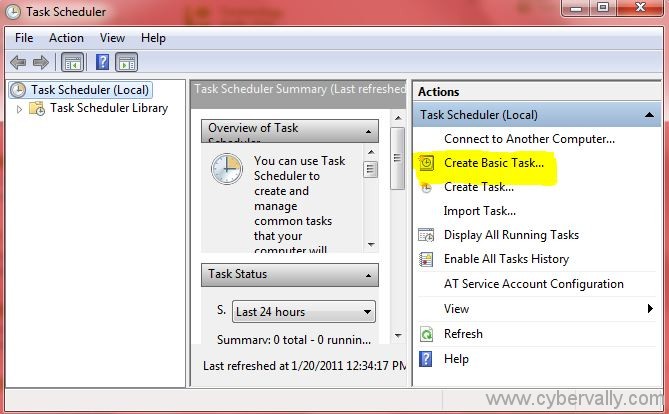
In the Task Scheduler window, Create Basic Task to create a new task.
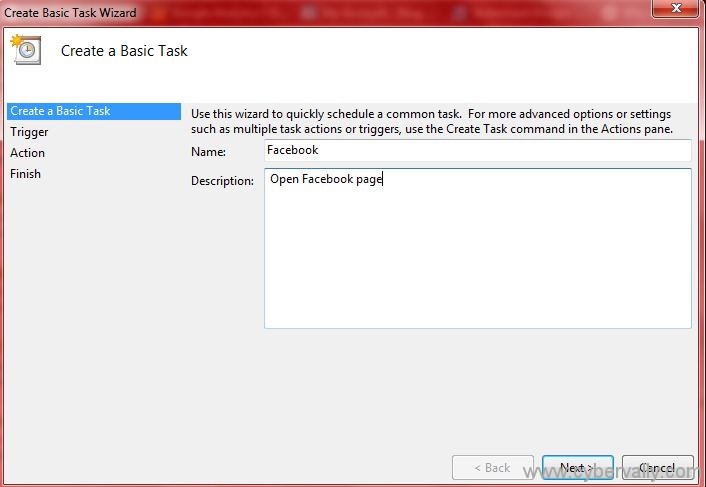
Since we are scheduling a custom task for hard drive defragmentation, enter a relevant name and description to the task. Click “Nextâ€.
In the “Task trigger†option, you have to select the trigger duration on which you want the task to run automatically. You may choose  daily, weekly, monthly or every time when your computer starts.

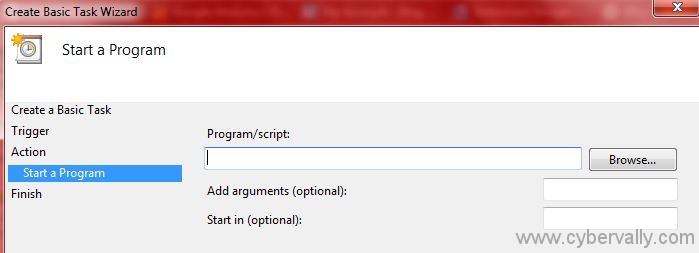
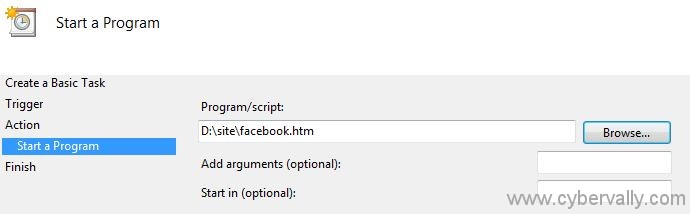
Click the “Browse†button to select the program from the location where it is
A summary will appear in the next screen. Check the box next to “Open the Properties dialog for this task when I click Finishâ€. Check the Trigger and Action box. If everything goes fine, click on the “Finish†button.
Task will automatically start on the time you specified in the schedule. No need to do it manually any more. If you have any suggestions then jump in to the comments!

