



Steps to Setup
1. Go to your Gmail account.
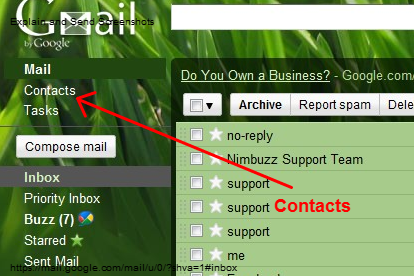
2. Click on Contacts located at the left side just below the Gmail logo.

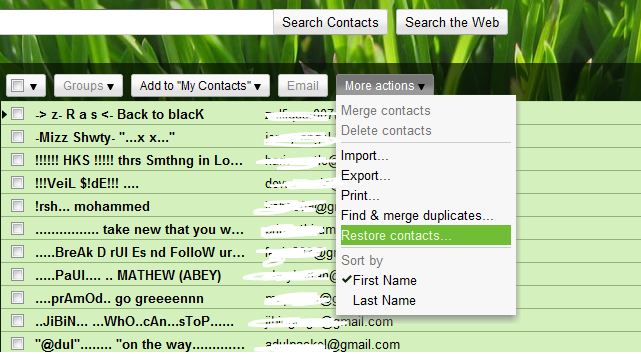
3. Now you will have list of all the contacts before you, click on More actions.
4. In More actions drop down menu click on Restore Contacts.

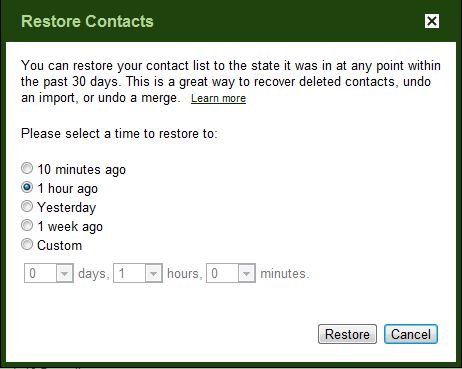
5. Now you would be on Restore Contacts page which would just look like 10 minutes ago, 1 hour ago, yesterday, 1 week ago or specific date.

6. Done. Check your contact list now.
If you enjoyed reading this post, please consider leaving a comment below or subscribing to the feed 😀