


Now Google allowing users to log multiple accounts and real-time switching. You just needs to do simple steps for enable multi login function in your account. This function allow users to check another ID without logout current ID . You can manage multiple IDs in single window. You just needs to press switch to account option only. Following procedure will helps you to enable this function in your account. The one who can’t see this option , do not worry, Google’s new stuff has always been slowly extended to all users.
First go to Google Account settings -> Account settings you can see Multiple Sign-in Option. You just needs to ” on ” it.
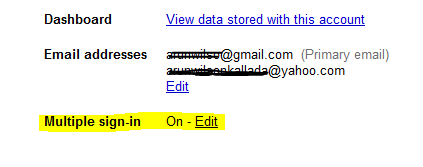
After this Step go to your gmail account. You can see one down arrow mark near to your email address , just click it and you can see sign-in another account option. Enter your another ID details.

Now you can start switching between account without sign out. Enjoy  this new function from google .

