

If you have started using Google+ and want all your Facebook friends on it, Google+ doesn’t have an inbuilt way to transfer your Facebook friends over to it. So, you can use Yahoo! as a mediator to import contacts to Yahoo! and then Google+. Google+ provides an option to use Yahoo! and Hotmail contacts and import them to Google+.
 Import contacts from Facebook to Yahoo Mail account
1. Go to your Yahoo Mail account  or you can create new account for import contact and click on Contacts tab.
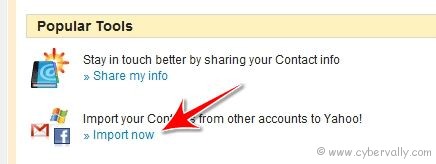
2. You can see “Import your Contacts from other accounts to Yahoo!†option. Click on it.
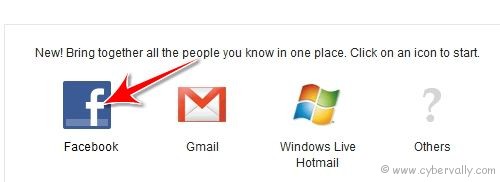
3. On the next window, click Facebook button and connect with your Facebook account.
4. Click ok button on screen “Share with Yahoo!”

5. Once your data download is completed successfully, you can see number of contacts imported .
Import Facebook contacts from Yahoo to Google+
1. Go to Google+ Â and click Circles button at the top menu.
2. Then click ‘Find and Invite’ option and you can see Yahoo Mail and Hotmail options under “Connect sites you use to find people you knowâ€.
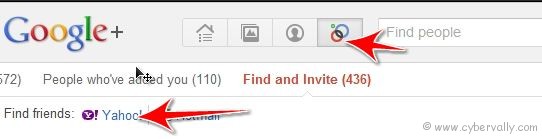
3. Click on Yahoo Mail button, In new window you will get prompt to login into your Yahoo account. Click Agree button to share your contacts from Yahoo on Google+ Plus service.
4. After import you can see your contacts imported from Yahoo (Facebook contacts) on Google+. Drag your friends to circles and enjoy Google+.
If you’re a Facebook user and want to keep up on the latest Technology news why don’t you join the CyberVally Facebook page?

