

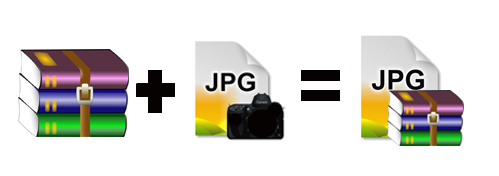
 You want to send passwords and some important files with a secure method ?. You wants to hide your text (.txt) Â file contain some important data ?. Â Here is one solution for you. Hide your important text files in image (. jpg ) and send anywhere. This method help you to hide any text file in to a image file and send anywhere.
You just need 1) image – jpg 2) text file – .txt 3) WinRar
Steps To Hide Test File
Give names for the text file we need to hide is named as text.txt and the image is image.jpg , hiddenfile.rar is the compressed file of text.txt using WinRar.
- Compress text file with winRar and give name as ” hiddenfile.rar “
- Save the image and compressed text file in C drive ( C:\encrypt )
- Open Command Prompt and type cd\
- You will get c:\> , then type ” c:\> cd encrypt ” and enter
- You will get C:\encrypt
- On Command Prompt and type “Â copy /b image.jpg + hiddenfile.rar newimage.jpg “
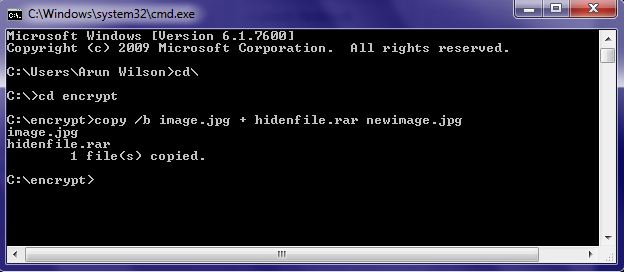
You can see newimage.jpg in encrypt folder. It is the picture which contains the compressed file hidenfile.rar and you can send it anywhere. Anyone can open this file using winRar and extract the hidden message from the picture.
I hope it is useful for all users. Share your comments about it in the comments box below 🙂


cool…
thanks…