

Virtual Audio Streaming lets you Broadcast/Record/Connect all kinds of sounds, no matter whether the sound is from the local audio file, microphone, sound application, online music or online chatting/meeting voice. Virtual Audio Streaming also fixes the ‘No Stereo Mix’ sound card issue of Vista/Win7. Virtual Audio Streaming simulates a virtual sound card on your system and becomes an enhancement/wrapper of your real sound card.
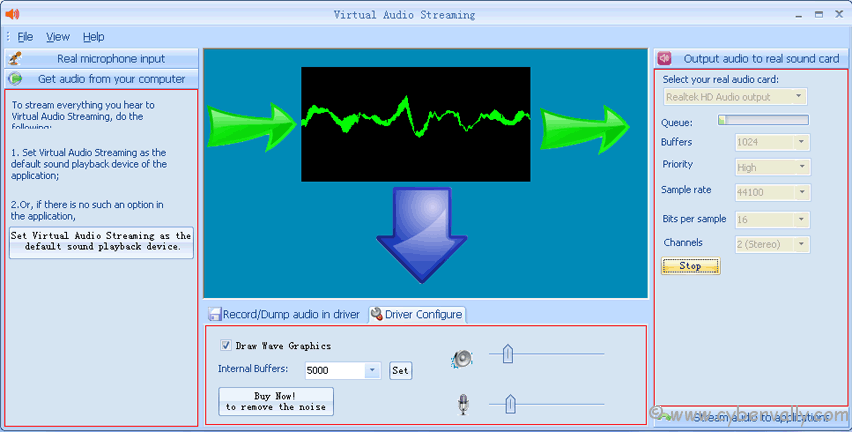
Main Features
– Virtual microphone, you can play audio files (such as songs, voice) to live broadcast websites (i.e.usteam.tv, justin.tv, camchat.org, etc.) or chat software (i.e. camfrog, skype, msn live messenger, etc.), as if the voice is from your physical microphone.
– Besides set audio files as the input of the virtual microphone, you can use any sounds from your computer as the source of the virtual microphone. For example, with Virtual Audio Streaming, you can open a webpage, hear a song online, then lively redirect the sounds to broadcast it on justin.tv.
– If you haven’t microphone in hand or just want to fool your friends by playing fake voice, you can use our Virtual Audio Streaming instead of your physical microphone.
– Work together with our virtual webcam software (Magic Camera) to stream sounds.
– Record all sounds that played from your computer. Possible scenarios:
1) Record Skype conversation, with people’s and your voice mixed together or separated;
2) Extract audio from movie files;
3) Record online music/film, chatting/meeting voices, game sounds, online radios, broadcast sites, etc;
– Record audio from kernel device driver. High quality.
– Record DRM-protected music.
Now make your amazing audio chat with the giveaway license of Virtual Audio Streaming!
Giveaway of  Virtual Audio Streaming
We are thankful to shiningmorning for sponsoring the giveaway of  FREE  accounts for our readers.
How to Get Virtual Audio Streaming Accounts
Participating in the contest is very simple, you can follow the steps mentioned below.
1. Follow us on Twitter or Facebook .
2. Share this post on Twitter ( Copy Paste Below link)
[Giveaway] Virtual Audio Streaming – Virtual Sound Card http://goo.gl/QetTB via @cybervally #webcam #giveaway #audio
or Facebook.
3. Leave a comment on this post with the mentioning the method you have followed in step 1.
4. If you do not use Twitter or Facebook, you can still win the license by commenting on how useful this software is for you.
#Last date is 18th march 2011
If you’re a Facebook user and want to keep up on the latest Giveaway news why don’t you join the CyberVally Facebook page?
If you enjoyed reading this post, please consider leaving a comment below or subscribing to the feed


Looks like a useful product.
MLJ
http://twitter.com/#!/mlj000
This software is very nice for people that do not have stereo mix (me!)
I need that! Please
felipeirineu@gmail.com
I forgot…
http://twitter.com/_Felipe_Irineu