

DNSChanger is a serious virus spread quickly to millions of computers around the world with internet connection. DNSChanger malware is developed by some sneaky cyber crooks that set about infecting thousands of machines worldwide, with a malware that specifically changed the DNS settings on both PC and Mac, as well as some home routers and firewalls as well. One major sign of the infection is a hijacked internet browser which redirects to other unintended websites, maybe even porn sites, via fake DNS servers.
The FBI has issued a warning that more than 4 million computers have been infected with the DNSChanger malware. These infected computers be cut off from internet access in July 9, 2012. Most users infected with DNSChanger, don’t even know it. In response, the FBI has partnered with DCWD to help computer users find out if they have be infected with the malicious software.
What Is DNS?
DNS is the technology that allows you to type “www.cybervally.com†into your web browser instead of “173.236.147.241†– which is an IP address. DNS like a big telephone directory service, we only need to remember the domain names instead of IP addresses. In order for your computer to use DNS to help you find the website you want, it needs to be configured to connect with trusted DNS servers and these are usually configured automatically by your Internet provider or company network.
Here are tips to find out if your computer is infected with this virus or not. There is a easy way to tell if your computer is infected with DNSChanger is to visit this site http://dns-ok.us/ . If you see red, you’ve got the virus. If you see green, you’re okay.
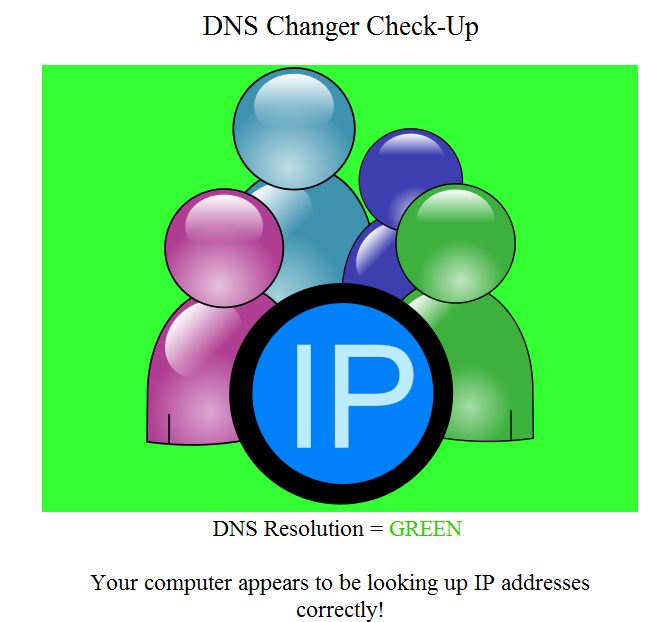
What to Do If Your PC is Infected by DNSChanger
The first thing you want to do is make a backup of all of your important files and format your computer with fresh os installation. Also you can use some malware remove tools for detect and recover from a DNS Changer Violation. You can use following tools for remove it
- Hitman Pro
- Kaspersky Labs TDSSKiller
- McAfee Stinger
- Microsoft Windows Defender Offline
- Microsoft Safety ScannerÂ
- Norton Power EraserÂ
- Trend Micro Housecall
- MacScan
- Avira
You can follow us on Twitter or join our Facebook fan page to keep yourself updated on all the latest from Microsoft, Google and Apple.


Why you don’t give us download link?
There is no need of any download. Just go to this site and check result.Â
http://dns-ok.us/