

Google plus is the latest social networking platform from Google. Many Peoples have been trying out it every day. But some people want to get delete their Google plus account. Here in this tutorial I will tell you how you can delete your Google Plus Account. It will not delete your Google account or Gmail or any other Google services. Just follow below method correctly, then you can delete your Google Plus account.

How to Delete or Remove Google Plus Account
1. Login to your Google plus account.
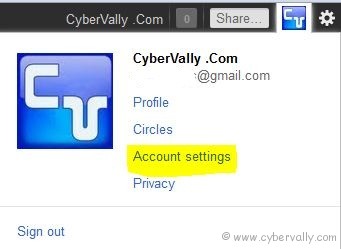
2. In the top right side click on your Name and then click on Account Settings.
3. Scroll down and you will see Services section. Click on Delete Profile and remove associated social features.

4. Click on Delete Google + content and then finally click on Remove Selected Services button below.
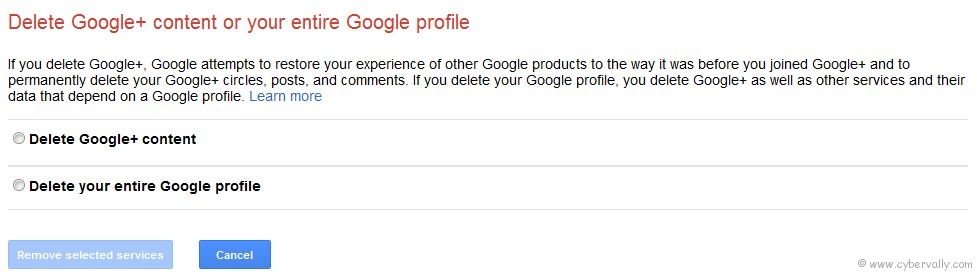
These steps help you to Google + account will be deleted/removed. And all your other Google products will remain there.
Warning: Don’t ever click on “Delete your entire Google profileâ€. This will delete your entire Google accounts.
If you’re a Facebook user and want to keep up on the latest Google+ Tricks, why don’t you join the CyberVally Facebook page?

