

Windows 8 Start screen is one of the major attraction and new feature of Windows 8. Unfortunately Microsoft is not providing any direct customization option for start screen. There are only 20 designs that you can select for the Start screen’s background, no option for add custom wallpapers or desktop backgrounds that you can add to the Windows 8 start screen. Here is a small application that help you to fully customize windows 8 start screen, this also allows you to design and use your very own start screen backgrounds, all you have to do is follow the instructions on-screen.
The screenshot below showcases how the Start screen looks if you replace the custom image.
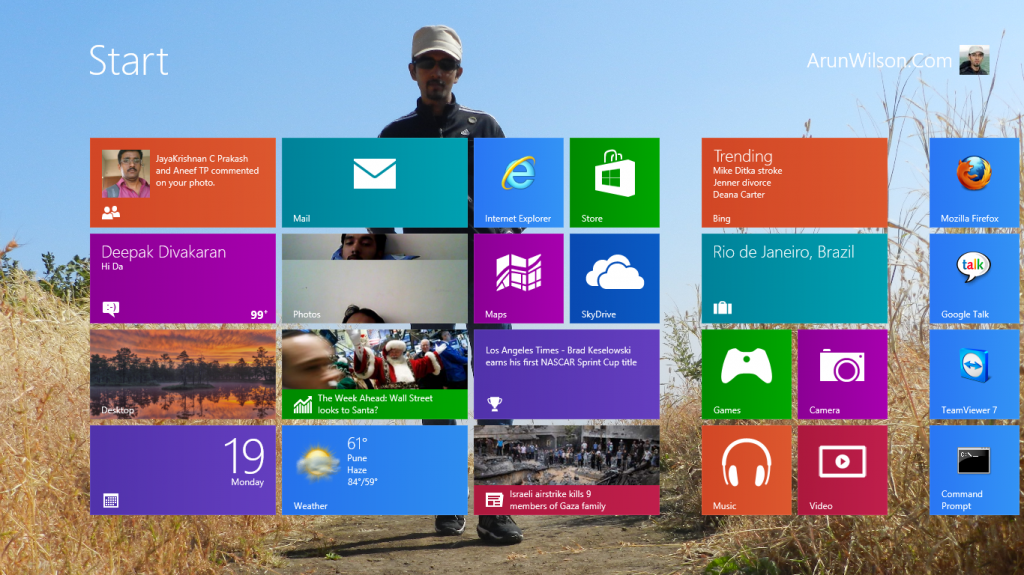
This freeware Windows 8 Start Screen Customizer allows your Windows 8 to easily customize the background of start screen and its color. You can go back and restore the default settings. With this small utility you can personalize the look of their Windows 8 start screen. You can use a custom image as the background, as well as modify the colors and their opacity. This free application helps you to set the maximum number of rows in your start menu. Using this feature you can change the basic appearance of your start menu according to your needs.
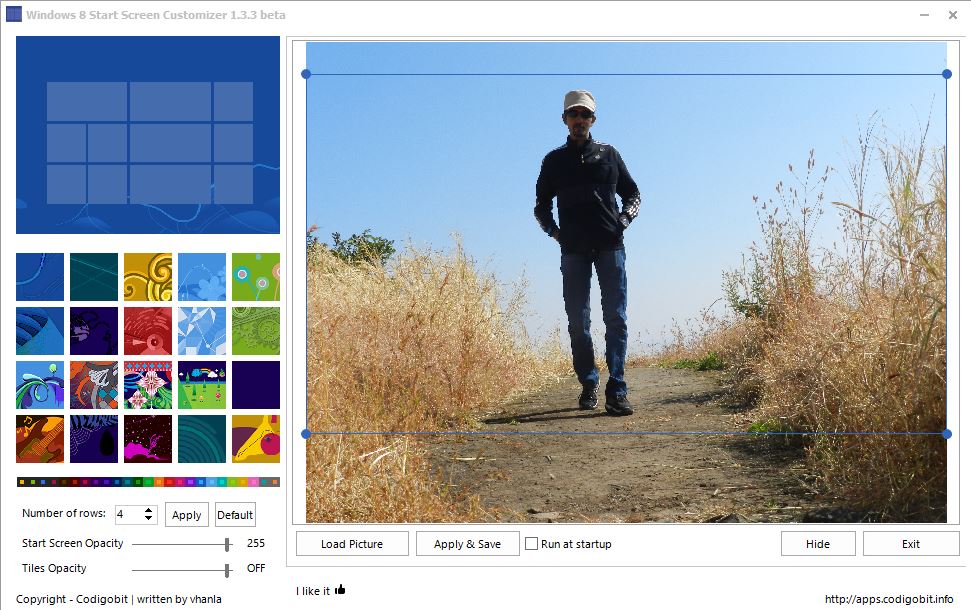
Main features of Windows 8 Start Screen Customizer
- You can choose a picture and select the area to be shown as background picture.
- You can set the StartScreen transparency
- You can set the rows of you tiles (limited by your screen resolution)
- You can run it on startup hidden, so you can see your custom background as soon as this tool starts
- It remembers your picture
Download Windows 8 Start Screen Customizer
Windows 8 Start Screen Customizer  is a portable app and does not require any installation. Download it from link and extract it using any Winrar. Open extracted folder, you can see a file named ModernUIStartScreen.ex_. Just Rename it as ModernUIStartScreen.exe and run the tool.
We value your comments. Feel free to discuss here any ideas. Share this information with your friends.
You can follow us on Twitter or join our Facebook fan page to keep yourself updated on all the latest from Microsoft, Google and Apple.

