

Google Plus lets you create photo albums, upload photos and share the photos with your friends or anyone else. But if you want to make your Google Plus photos private and allow only selected people to view certain albums, here is a complete guide. Google+ allowing you to completely  hide your albums from others for privacy.Â

How to Create Private Photo Album in Google Plus
1. Login to you Google Plus account and Click on Photos Icon.
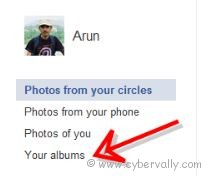
2. In the Photos Section click ” Your Albums ” in the left side bar.
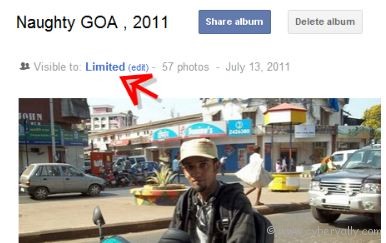
3. Open the album you want to make private. In that album on the top you will find a text “Visible to †, Click edit option.
4. Now you can see circles you are shared with, delete all the circles which you have shared and save.
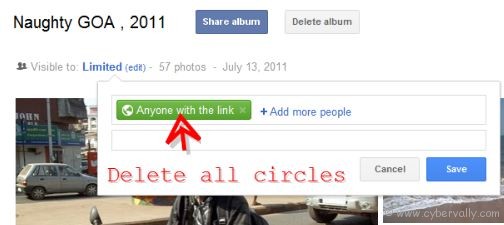
Yep! now your album is protected with privacy.
If you’re a Facebook user and want to keep up on the latest Technology news why don’t you join the CyberVally Facebook page?


Your title is somewhat misleading, as I was trying to find a way to “Create†an album, and place photos within it. But your tutorial/blog is about changing the privacy an “already existing†album and making it private.If you actually have a way of creating an album, please let me know.