

Is your desktop look like a forest with files and application shortcuts, you want a clean desktop without deleting these files? Then better is to try nSpaces multiple desktops, it is a new freeware tool for Windows 7 which allows you to create multiple desktops on your Windows 7. This application helps you to create different desktops for different works. User can categorize his activities and distribute them among the different workspaces available.
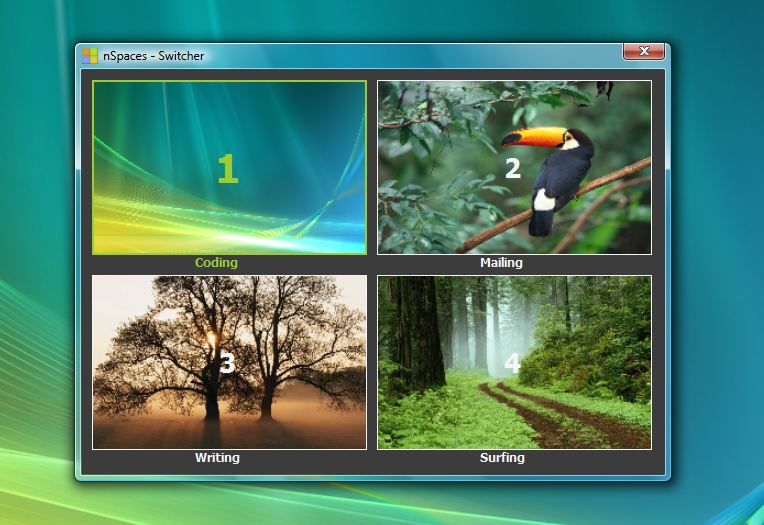
In this application you can add multiple rows and columns to the initial ones based on your requirements. Also you can create password protected desktop for security and privacy.Â
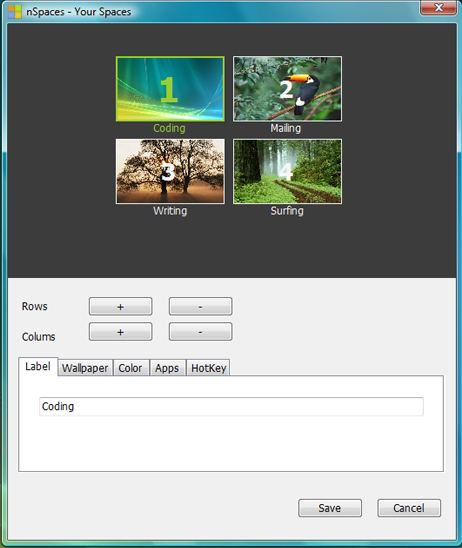
Main Features
– Launch Desktops: Create multiple desktops on your computer.
– Launch Apps: Open different applications on each separate virtual desktops to improve your productivity.
– Name your space: label your tag for each virtual desktop, the tag is shown on the space switcher.
– Change wallpaper: Your desktop is unique, Set a custom desktop image for each of your desktops and watch as the pictures fade into – each other when switching between your desktops.
– Color your space: If you don’t like to set a custom image for each desktop, just set a background color for them.
– Protect your space: If you don’t like anonymous users to use your spaces, just set a password for them.
– Hotkeys for everything: nSpaces has a group of hotkeys for each desktop you created, hotkey for the space switcher.You can change whatever you want.
[Download nSpaces]
You can follow us on Twitter or join our Facebook fan page to keep yourself updated on all the latest from Microsoft, Google and Apple.

