

 In Word 2007 and Word 2010 by default documents save location is My Documents folder. If you want to save Word documents in a different location, you can change this default path. You can also change by default document format. You need to changes simple settings inside the Word 2007 and Word 2010.
Steps To Change Settings
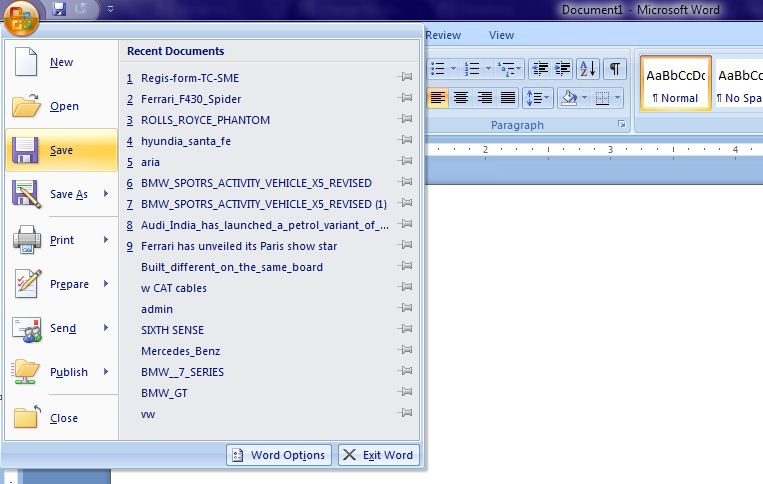
- Click the Office button for Word 2010.
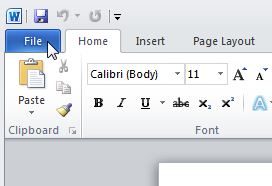
- In Word 2010, click the File tab.
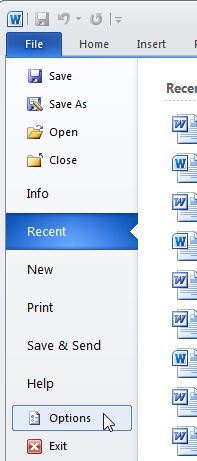
- In window you can see ” Word Options “, click the Word Options button.
- In Word 2010, click Options in the list on the left side of the File tab.
- Click Save in the list on the left side of the dialog box.
- In Save documents section click the Browse button to the right of the Default file location edit box, Modify Location dialog box displays. Navigate to the folder in which you want to save Word documents by default. Click OK.
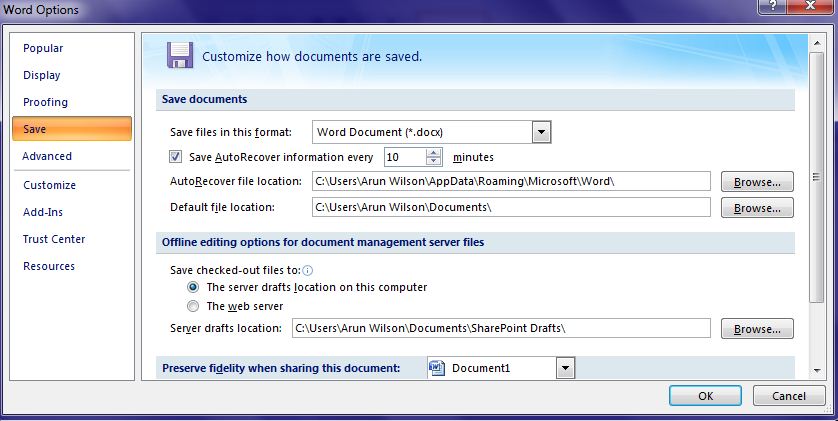
- Share your Word documents with others who are using older versions of Word, you can change the file format selected by default when you save your Word documents. To change the default file format to which format you want.
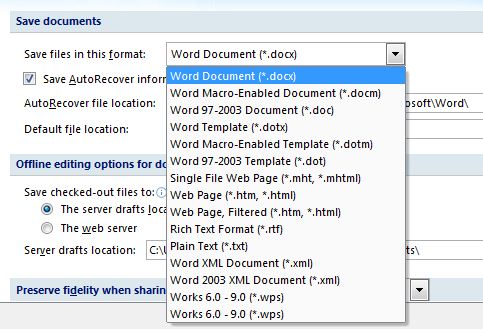
- To close the Word Options dialog box, click OK.
Now save your documents, the folder selected in the Save in edit box and the default Save as type reflect the changes you made.
Hope it is useful for you. Share your comments and quires about it in the comments box below 😀

