


OpenDNS has launched one useful service for parents, company network administrators and users. This easy setup service is known as “ FamilyShield “. It is a free service and no need of any software download and install. This service is helping parents to protect kids from bad browsing in internet. If you configure it in your router it is effective for all computers and wi-fi devices connected to that router. You can configure this in single PC also.
FamilyShield working in OpenDNS content management system. We don’t needs to add sites in to block list. The blocked site list automatically updated constantly 24/7. No need of any changes in user end. You just need to follow simple steps configure FamilyShield IPs on your Router or computer. You can use it even if you have dynamic IP address.
FamilyShield DNS IPs
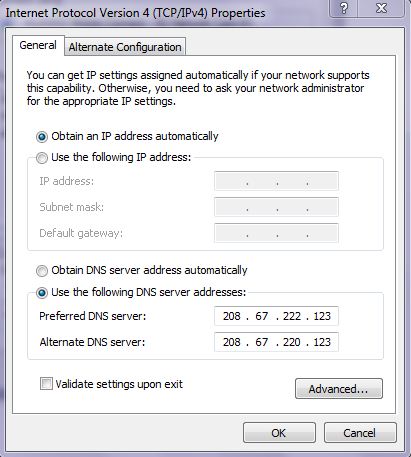
208.67.222.123
208.67.220.123
Enter these details in DNS IP address field in your router and save your configuration.
If you want to enter these details in your PC please follow below steps.
Check here for more OS and device settings.
- Go to control panel and select network and sharing center
- Go to adapter settings.
- Select your current network adaptor for internet.
- Properties select IP4 and enter these details in DNS server address place.
- Save and check it.
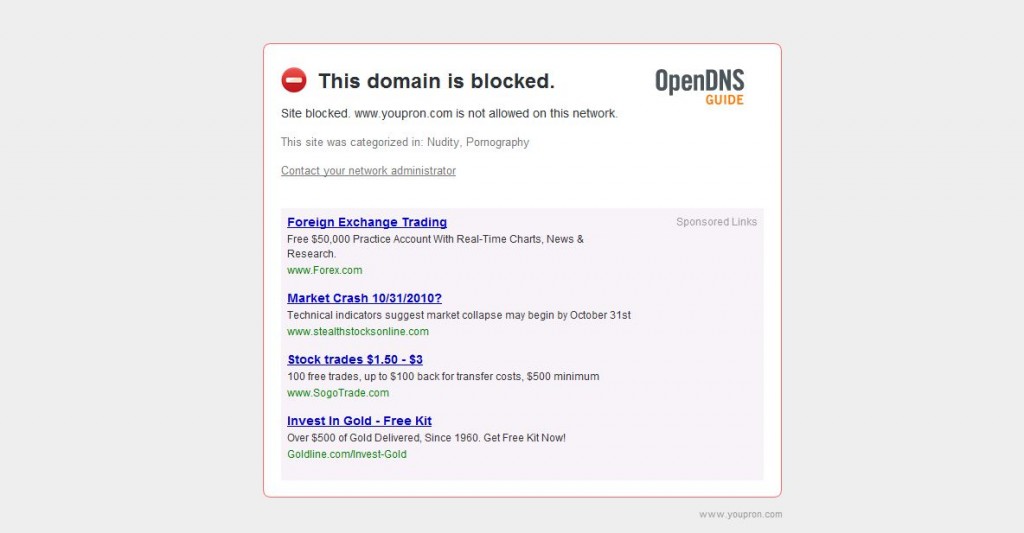
This service block pornographic contents and proxies, also block phishing sites and malwares. Hope this post is useful for you. Don’t forget to give comments 🙂


1 Comment