

Do you download movie or games every night? Do you want  automatically hibernate or shut down your computer on scheduled time.  Do you want keep your PC cool when you are sleeping? If you want  protect your PC and save power for your desktop or laptop, that means you have to turn off your computer after your work. However this articles tells how to add the auto-shutdown features to your computer with a third party software.

WinMend Auto Shutdown is a freeware utility that can turn off your computer automatically. With simple settings, it can shut down, hibernate, stand by or log off the computer unattended at a scheduled time.
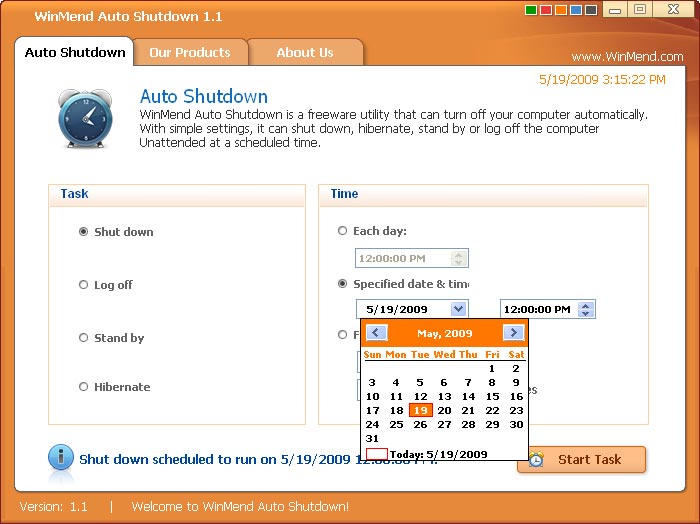
Features:
1. Countdown screen – Before shutdown you will see 30-second countdown screen before. This is useful since you can cancel or change the operation/set in time.
2. Auto launches option.
3. Light applications which remains on task bar.
Download WinMend Auto Shutdown
You can follow us on Twitter or join our Facebook fan page to keep yourself updated on all the latest from Microsoft, Google and Apple.

