


Are you missing your friends and loved ones staying in other countries. Do you want to call them with the help of gmail call phone feature ? Calls to the U.S. and Canada will be free for at least the rest of the year and calls to other countries will be billed at very low rates. To enable this feature out side USA you need to  use free VPN ( Virtual Private Network ) service. Free VPN services that help you hide your real IP address and give one USA IP address. It worked for me.
Steps To Setup
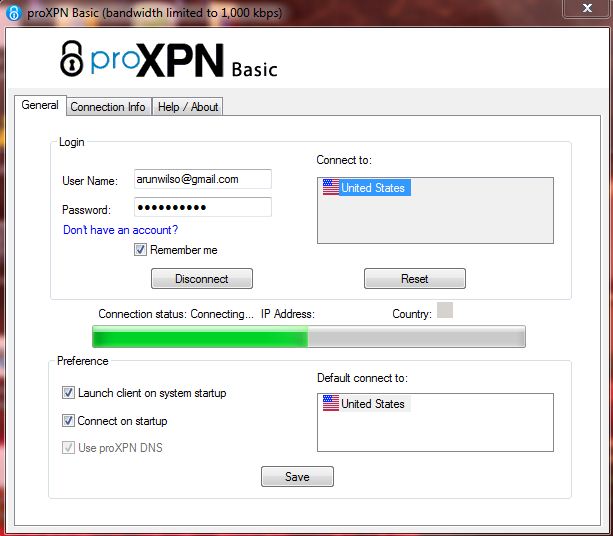
1) Go to ProXPN site and create a basic VPN account.
2) Download VPN client software
3) Connect VPN
4) Sign in to Gmail
5) Check ” Call phone ” enabled or not
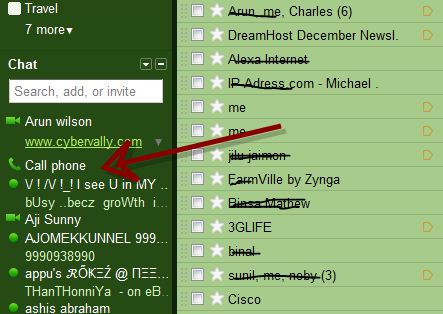
6) Click “Call phone” button. You will get dial pad for dial phone numbers.
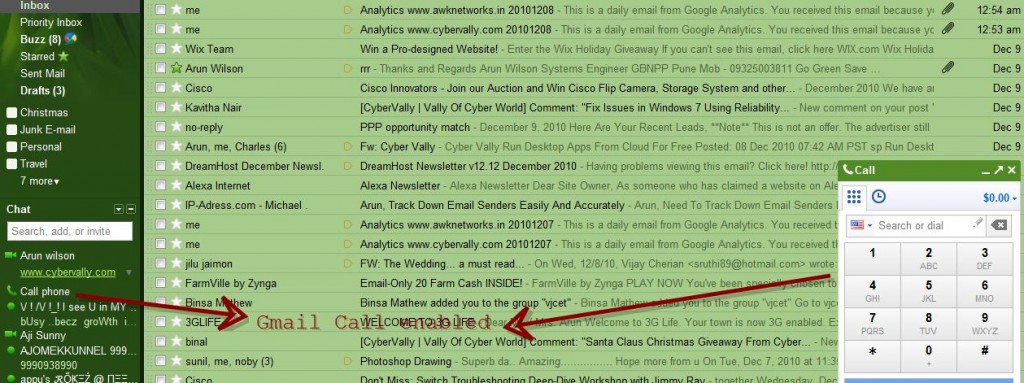
7) Yep!! Done. Now enjoy gmail phone call.
NB : After use disconnect VPN service.
If you enjoyed reading this post, please consider leaving a comment below or subscribing to the feed 😀


Nice one wanna try ..
It works awesome! Thanks so much! You just saved me a ton of money!