

Reliability monitor is a tool in Windows 7 help you to check application failures and other critical system errors, and also try to find the solutions to those problems using this tool. The main purpose of this application is to monitors application failures, Windows failures, miscellaneous failures, warnings and information.You just need to follow below steps.
Steps to Setup
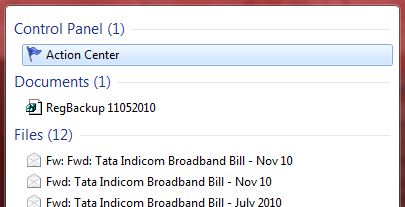
1. Type Action Center in the windows search bar and press enter.
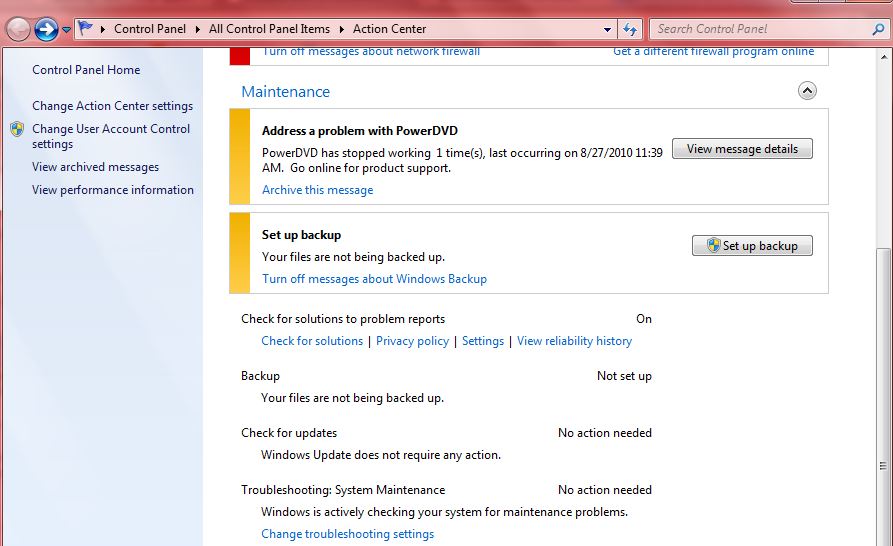
2. In the action center window, go to Maintenance, and click on the small arrow beside it that’s pointing downwards.
3. You’ll find a link like “View reliability history”. Click on it.
5. In reliability monitor report, you can see a graph showing application failures and Windows failures, by days and weeks.
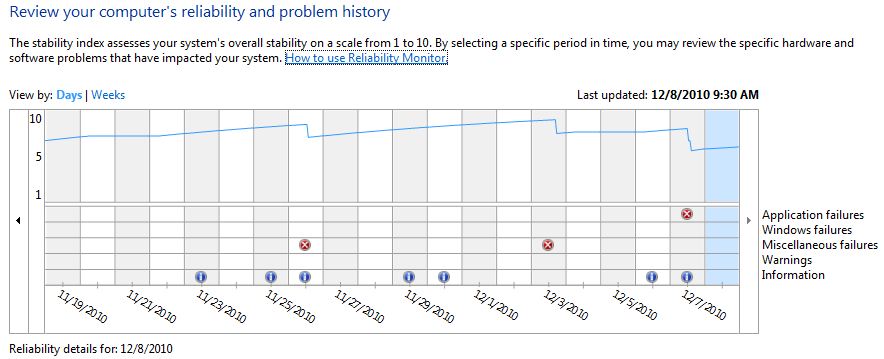
6. You can take the exact error or the application that stopped working by clicking on that icon with the red cross mark. Example – VNC Server
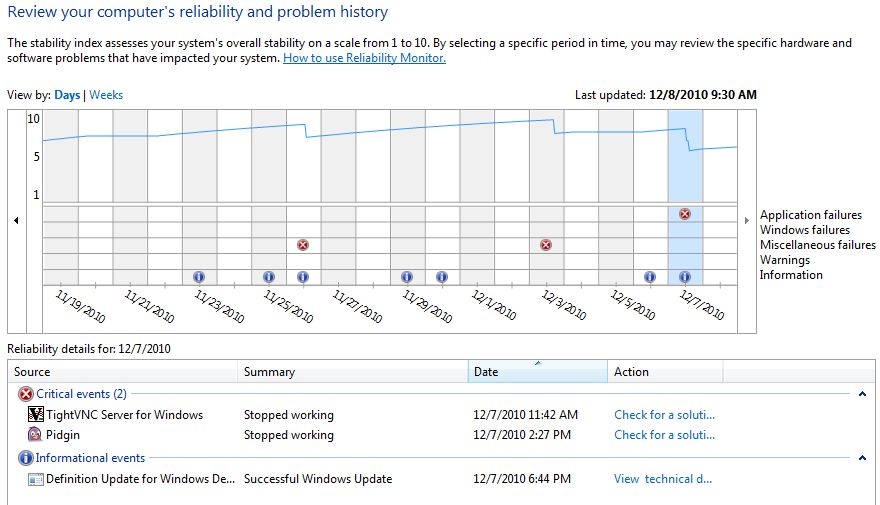
7. Click on the event, u will get a new window with a detailed analysis.
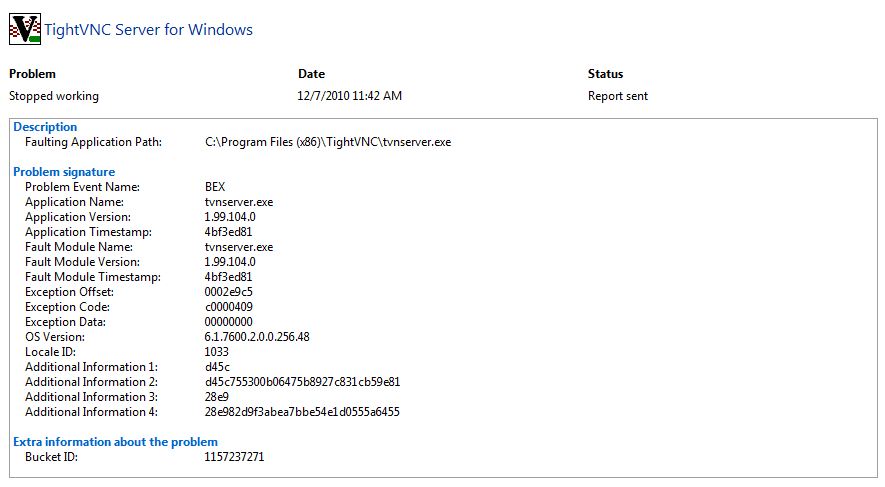
8. If there is a solution available for this error, Windows can check for it automatically. There should be a Check for a solution link at the end of rows showing critical errors. You can click on it to get solution.

9. There is one options for save reliability history, view all problem reports and check for solutions to all problems at the bottom of the reliability monitor reports window.
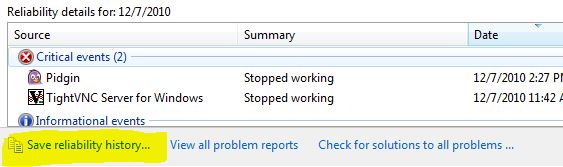
This tool help you find application failures,other critical system errors and also try to find the solutions to those problems.
Hope it is useful for you. Share your comments and questions about it in the comments box below. 😀


Nice one