


HTTPS stands for “HyperText Transport Protocol Secure.” HTTPS is the same thing as HTTP, but uses a secure socket layer (SSL) for security purposes. Some examples of sites that use HTTPS include banking , Gmail  and  corporate websites and most websites that require you to log in.
When you use https in your web browser a new secure layer called SSL (secure socket layer) does the data transmission using an encryption standard: DES, RSA etc. Once your web traffic pass through https, if any one capture data packets using any packet analyzing software, they will not be able to understand what is actually pass through between your computer and the web server  significantly reducing the probability of an attacker sniffing our sensitive web data like credit card and mail information.
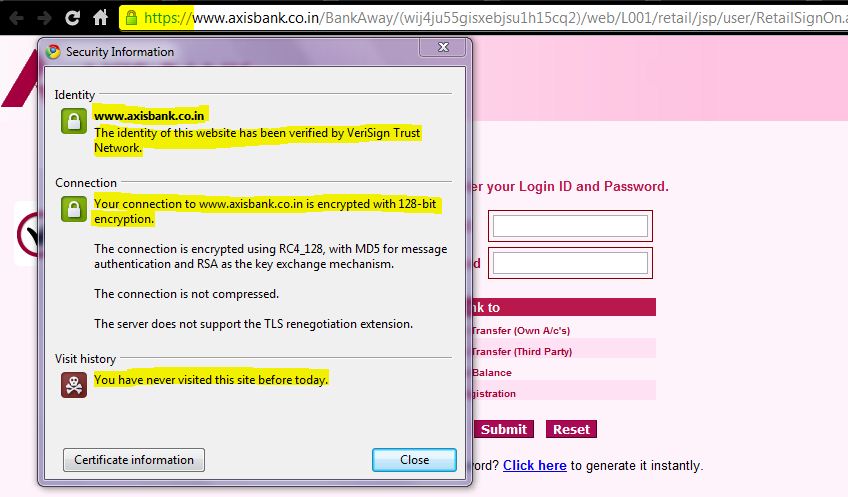
There are some differences between HTTP and HTTPS, first one being the default port used. HTTP uses the port 80 where as HTTPS uses port 443. HTTPS works by transmitting normal HTTP interactions through an encrypted system, so that the information cannot be accessed by any party other than the user and end server.
SSL Overview
- Browser checks the certificate to make sure that the site you are connecting to is the real site and not someone intercepting.
- Determine encryption types that the browser and web site server can both use to understand each other.
- Browser and Server send each other unique codes to use when scrambling (or encrypting) the information that will be sent.
- The browser and Server start talking using the encryption, the web browser shows the encrypting icon, and web pages are processed secured.


1 Comment