

A hard drive is a main part of a computer that may contain sensitive information such as usernames, passwords, personal images, home videos, office sensitive data, etc. If you are upgrading to a new computer always remove and destroy the hard drive before selling, donating, or recycling any computer equipment! Failure to destroy the hard drive before giving the computer away could result in sensitive information ending up in the hands of the new owner, who will then be able to copy old files and go through your personal information stored in your old hard disk.
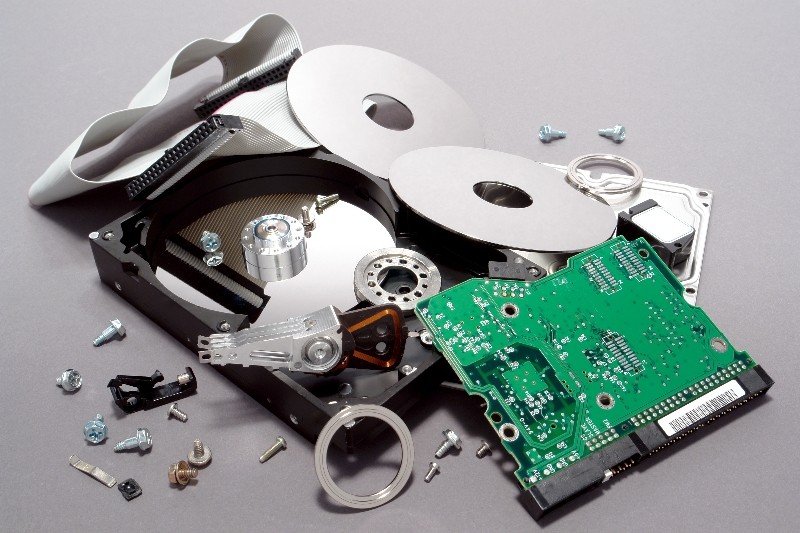
There are many options available if you are looking to dispose of an old hard drive. Some professional destruction methods include:
- Hard disk Shredding by using a local shredding company
- Taking it to a computer recycling company
- Mailing it to a hard drive destruction specialist
- Bringing it in to a local computer shop that will dispose of it
These methods are ideal, but they usually cost money. Professional destruction of a hard drive could cost $70 or more in some areas! So what is a low cost method to dispose of the hard drive and keep your personal data safe if you are low on funds? Considering you have all the right tools, this method won’t cost you a dime and is a very secure way to get rid of a hard drive while keeping your data secure.
Step 1: Wipe it! Wiping a hard drive in essence destroys the data by writing over it with random characters. There are many free utilities to help. These free software overwrites all of the data on your old hard drive with random characters and WILL DESTROY ALL OF YOUR DATA! Be sure you have performed a complete backup and have transferred the data from your old hard drive to your new system before wiping it.
Step 2: Remove it! Physically remove the hard drive from the system. This is usually the easy part, you’ll just need a screwdriver and a little patience. Keep in mind that you will still be able to sell or donate the old computer without a hard drive missing, just be sure to let the new owners know in advance that they will need a new hard drive and operating system.
Step 3: Drill it! If you plan on using the old hard drive again, skip this step. Otherwise it’s best to physically destroy the old hard drive just to be 100% certain that the old data is completely destroyed. This step is not only fun, depending on how much personal data you had on the old drive it can also help you sleep better at night.
Wearing protective goggles, gloves, and a dust mask for your mouth and nose take a drill and a metal drill bit to the drive. You’ll want to drill through the drive completely from one side to the other, and you’ll want to do this multiple times. Two important areas for you to drill through are the platters and the controller board.
We value your comments. Feel free to discuss here any ideas. Share this information with your friends.
You can follow us on Twitter or join our Facebook fan page to keep yourself updated on all the latest from Microsoft, Google and Apple.


Before i was a video about Google data center ….They have daily lot of faulty hard drives …They have special machine for break the hard disk ( destroy ) …
Before i was watched a video about Google data center ….They have daily lot of faulty hard drives …They have special machine for break the hard disk ( destroy ) …
a few rounds from a high powered rifle through a hard drive, shattering the platters and destroying the circuitry works great as well.
Amazing blog it was helpful for us. Thanks for the post.