

Gmail Labs has introduced a new preview pane feature that help you to separate the email listing and email content in two areas, it help you to reduce the number of switching that may occur if you open a lot of emails. This facility is present in many email applications, it has been missing in Gmail until now. Google has just announced that it has added a preview pane to Gmail. After you enable Preview Pane from the Labs tab in Gmail Settings you’ll see a toggle button in the top right corner of your message list, which lets you switch between preview and list views. The preview pane facility is not enabled by default but you can turn it on from Labs.
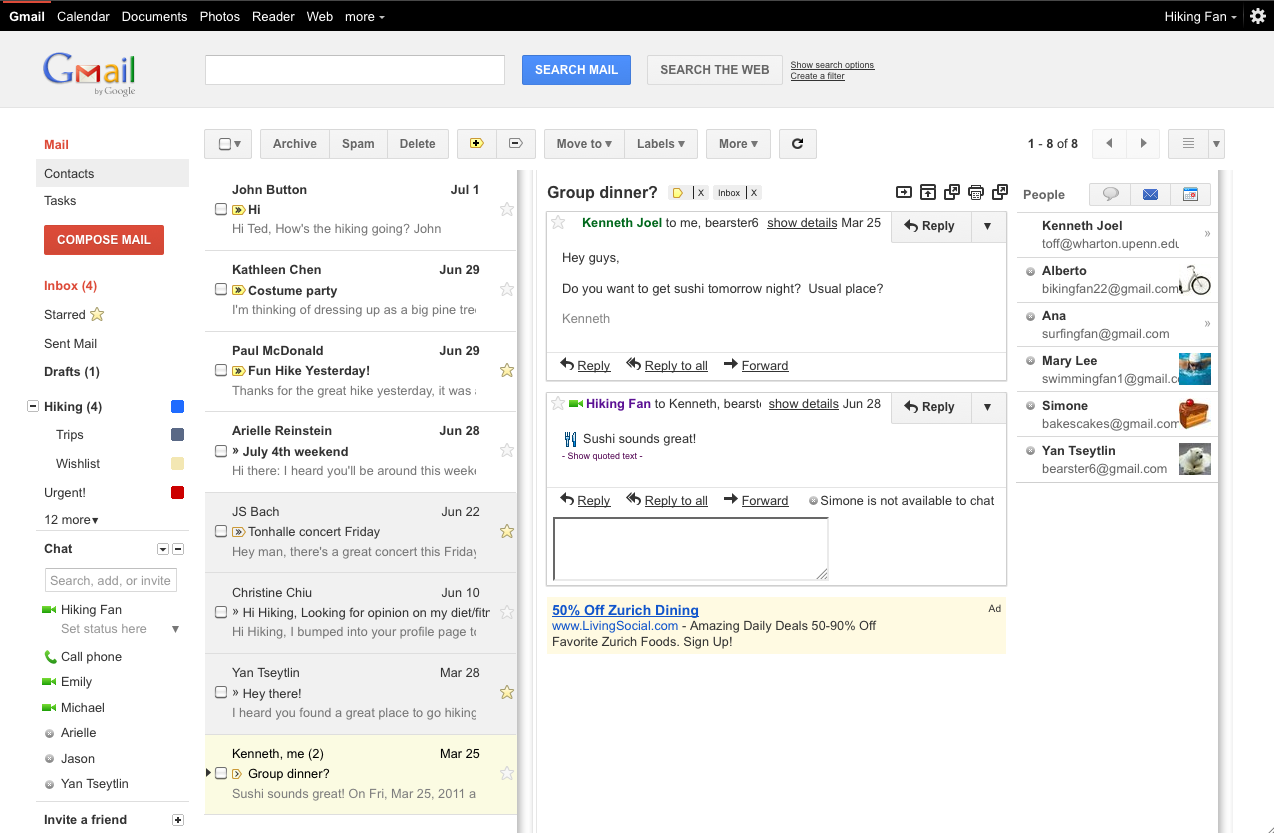
How to turn on Preview Pane
1. Log in to your Gmail account.
2. Click on settings (gear icon) .
3. Click on “Labs.â€
4. Scroll down the list and find out “Preview paneâ€.

5. Click “Enable.â€
6. At the bottom of the page, click the button “Save changes.â€
You can follow us on Twitter or join our Facebook fan page to keep yourself updated on all the latest from Microsoft, Google and Apple.

