

Google+ introduced a new feature called “Hangouts†that users can use to connect with friends in their Circles. Hangouts allow video chatting with up to 10 people to chat at once. In this feature users can also share and watch YouTube videos with friends in their circle.Here is the steps which help you to Watch YouTube Video With Your Friends in Google+ Hangout.
Also Read :Â How to Get your Twitter and Facebook Stream inside Google+

Steps to Watch YouTube Videos with Friends
1. Click Start a Hangout with any circle.
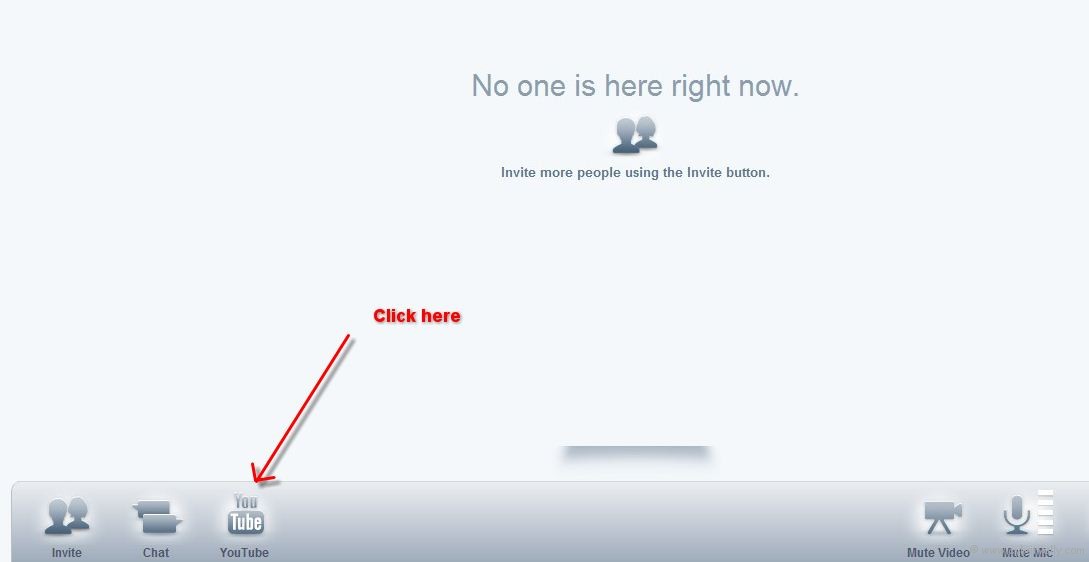
2. After started Hangout click the YouTube icon on bottom left side, to start YouTube Video Sharing.
3. Now you see the Youtube window. Let start to watch your favorite YouTube with your friends, you can also search the YouTube video in ” find another video ” option. Anyone in the hangout can play, pause, or change a video.
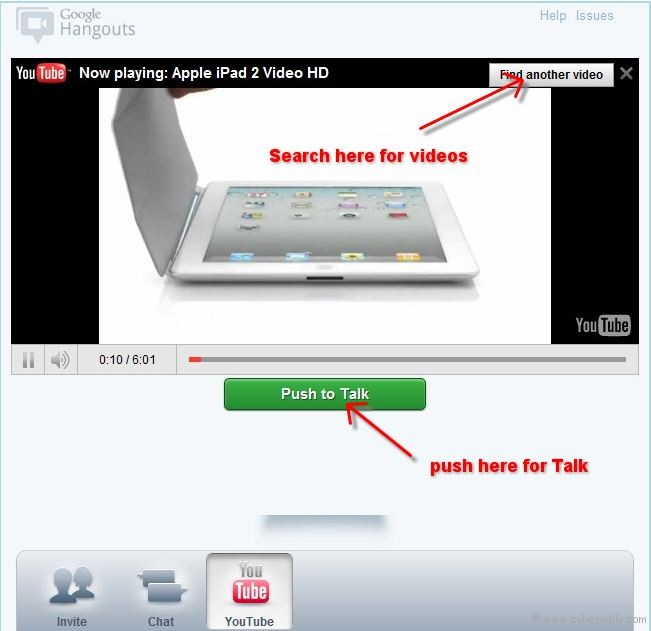
4. If you want to say something to friends, then click and hold on ” Push to Talk ” option.
If you’re a Facebook user and want to keep up on the latest Technology news why don’t you join the CyberVally Facebook page?

