

Google has just released the Google +1 button which help visitors to give a recommendation to Google and your friends about any site. This helps to recommend good websites on Google search. When you search in Google, you can see the search results which are shared by your friends with the help of +1 button.
 How to add Google +1 button
1) Open google Chrome browser and go to this page
2) Install +1 Plus One Extension
3) Now you can see an icon like below image at the top right of toolbar in Chrome.
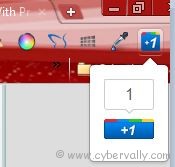
If you want to rate a site, then click on this button. If you’re not signed in, then you need to sign in, and then +1 it. Sign in with your Google account, and just click on Confirm and +1
If you’re a Facebook user and want to keep up on the latest Technology news why don’t you join the CyberVally Facebook page?
If you enjoyed reading this post, please consider leaving a comment below or subscribing to the feed


@arun,
Is there any Google+ add-on for Firefox ?