

It is very difficult to Keeping passwords, bookmarks, and other things synced across the internet. Now Firefox 4 introduced syncing of things like history, bookmarks, passwords, and even open tabs across your PC. In all the earlier versions of the Firefox browsers, the Sync feature was available as an Add-on, but in the Firefox 4 version it came as an inbuilt option.

How To Setup Firefox Sync In Firefox 4
1) Open Firefox and click on Firefox button and go to “Set up Syncâ€.
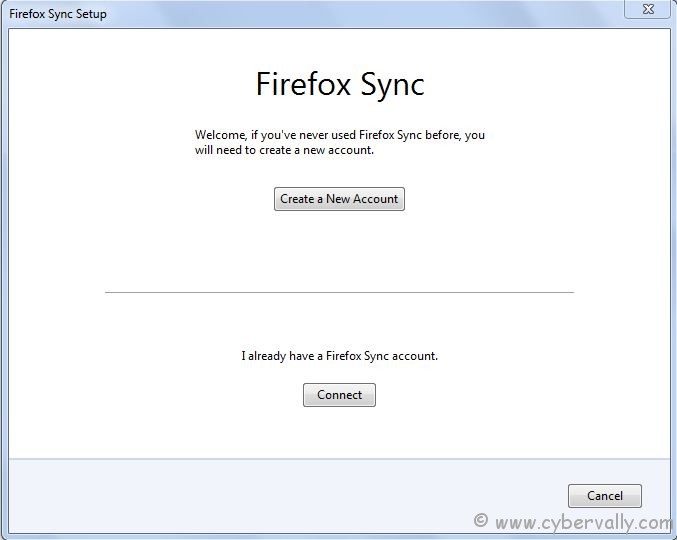
2) In new window you can see “Firefox Sync Setupâ€. Then click on the button named “Create a New Accountâ€. If you have already used Firefox Sync before then you need to click on “Connect†button.
3) Enter the details for create new account. After filling all details, check the box named “I agree to the Terms of Service and the Privacy Policy†.
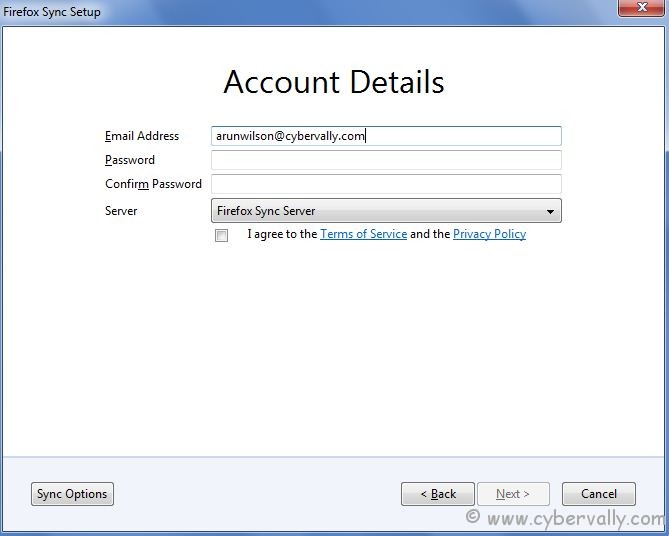
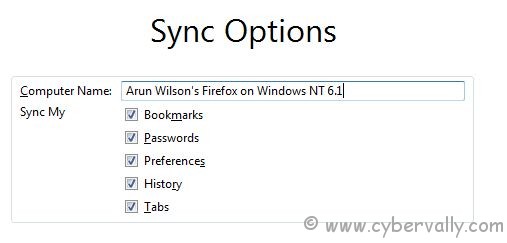
4) Bottom left side, you can see “Sync Optionsâ€. Click on it to change the sync options. You can select things you want to sync.
5) In next window you will get a random “Sync Keyâ€. Click on “Save†to keep this key in your PC or you can take the print of this key. Click “Next†to continue.
6) Confirm that you are a human, not a robot  by filling the CAPTCHA Code.
7) Click the “Finish†button.
Now in your office PC, open Firefox and click on the Set Up Sync option under the Firefox menu button and then click on the Connect button.Enter your E-mail id and password and you can see all of your Firefox settings present on your personal PC displayed in your office PC.
If you’re a Facebook user and want to keep up on the latest Technology news why don’t you join the CyberVally Facebook page?
If you enjoyed reading this post, please consider leaving a comment below or subscribing to the feed

