

ComputerLatest Updates

Windows 8 UI Transformation Pack for Windows 7

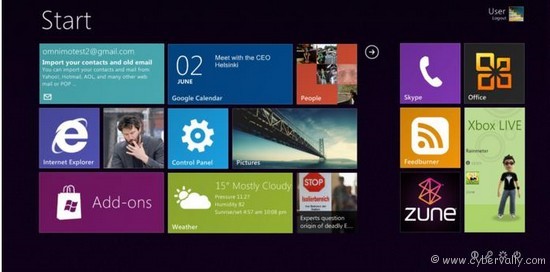
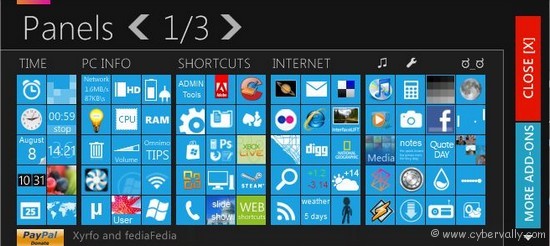
All are waiting for release of Microsoft’s up coming OS Windows 8. If you like to transform your Windows 7 look like Windows 8 destop, then you can try this mertro UI of Windows 8. Omnimo is released  the best and easy to use Windows 8 UI transformation pack ever made. This pack also contain many Windows 8 user pictures and icons  also featured with plugins and customizations options.
How to Install Windows 8 UI

1. First you need to download and install Rainmeter

2. Then download Omnimo Skin

3. Extract the zip file and double click on the Setup.rmskin file to install the theme

4. Just follow onscreen instructions and Install it.

5. Now customize Omnimo settings as per requirement.

Yep! You done. Now you can enjoy  Windows 8 UI view on your Windows 7.
If you’re a Facebook user and want to keep up on the latest Giveaway news why don’t you join the CyberVally Facebook page?

About author

Articles

Arun Wilson is a self-confessed tech and gadget freak. When he isn't busy navigating life, he loves sharing the latest updates on technology, internet security, and new gadgets. Connect with Arun: Follow on X | Facebook
Related posts
InternetLatest Updates

Beyond Passwords: A Guide to the Different Types of 2-Factor Authentication

If your online accounts were a house, a password would be the lock on the front door. It keeps…
Read more
How-ToInternetLatest Updates

Don't Toss It! How to Turn Your Old Wi-Fi Router into a Repeater

We’ve all been there: you upgrade to a shiny new Wi-Fi router to get better speeds, and your…
Read more
Latest UpdatesTechnology

Beyond the Moat: Ditching VPNs for a Zero Trust Security Architecture

For years, the gold standard for secure remote access was the Virtual Private Network (VPN). We…
Read more