

Internet

Watch Youtube Videos in Windows Media Center

MacroTube is a free software that integrates Youtube into Media Center menu system directly and provides easy access to YouTube videos. It also contain DailyMotion and MSN Soapbox. After installing MacroTube an option is avilable in the main menu. After selecting what service YouTube,  it’ll bring you to a screen displaying the latest videos. You can browse videos by subject or category or you can  search for videos by keywords. Search works via media center remote too.
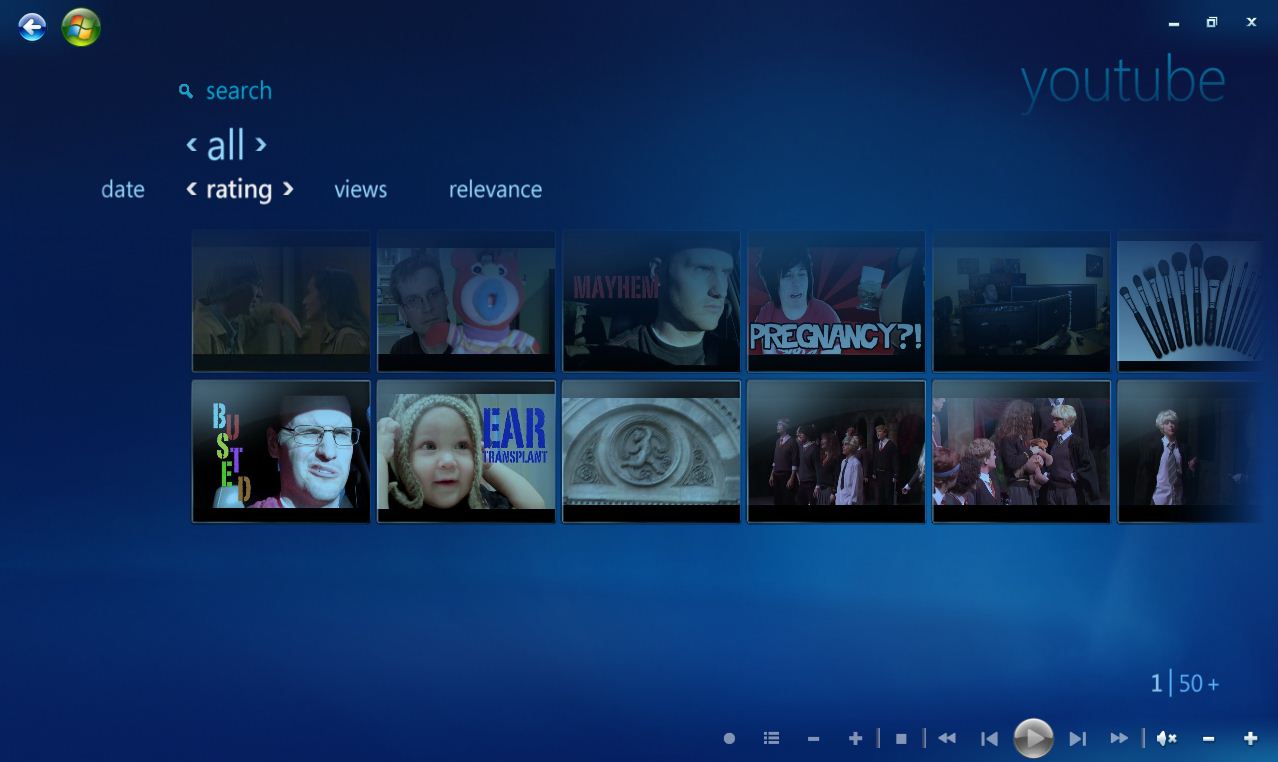
All the normal controls play, pause, forward, stop etc are available during playback time. You also can do search for specific videos. All these videos are sorted by rating, views and relevance.

[ Download MacroTube Here ]

About author

Articles

Arun Wilson is a self-confessed tech and gadget freak. When he isn't busy navigating life, he loves sharing the latest updates on technology, internet security, and new gadgets. Connect with Arun: Follow on X | Facebook
Related posts
InternetLatest Updates

Beyond Passwords: A Guide to the Different Types of 2-Factor Authentication

If your online accounts were a house, a password would be the lock on the front door. It keeps…
Read more
How-ToInternetLatest Updates

Don't Toss It! How to Turn Your Old Wi-Fi Router into a Repeater

We’ve all been there: you upgrade to a shiny new Wi-Fi router to get better speeds, and your…
Read more
InternetLatest Updates

Top 5 Secure Applications for Sending Messages from Mobile

In today’s hyper-connected world, our smartphones are more than just communication devices; they…
Read more