

If you want to convert or resize pictures to use them in your orkut, blog, Twitter, or Facebook etc. Photo Magician is an ultimate tool for you. Photo Magician is a small and easy to use software which allows you to quickly scale and convert your images. Photo magician allows you to easily customize and set your own preferences.
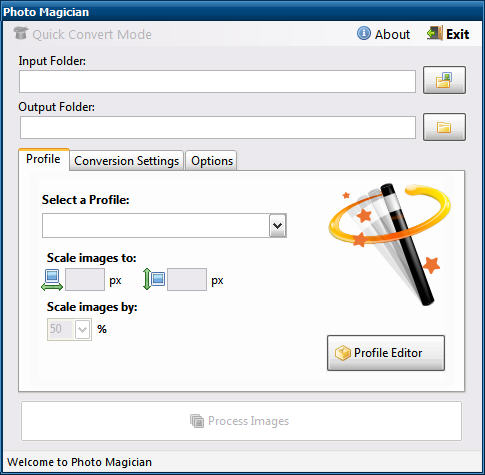
Photo Magician, a free batch conversion tool which is both fast and portable, allowing one-click operating for as many images as you want. Its working  is very simple. Browse to the input folder, which contains the images that you want convert. Define output folder where converted images will be saved. Select the conversion profile, check whatever options you want to apply from the window.
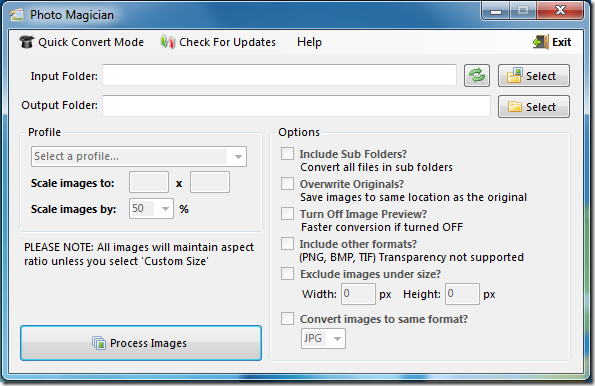
You can also turn off the image viewer which will lead to the faster conversion. After all the settings, you just have to click the option ‘PROCESS’ and the process will start which will get completed within minutes.
Photo Magician is a great utility that works with all versions of Windows, 32 bit and 64 bit both.
[ Download Photo Magician ]
If you enjoyed reading this post, please consider leaving a comment below or subscribing to the feed 😀

