

Microsoft has just unveiled the new Surface tablets running the Windows 8. The 2 tablets devices running the next-generation Windows operating system. One will run on Windows 8 RT and another in Windows 8 Pro. The tablets feature a 10.6 inch screen with 32GB, 64GB and 128GB storage options as well.
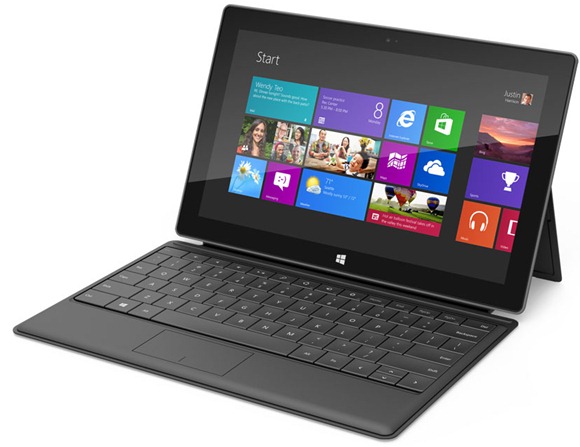
It also have features like kickstand and a multi touch keyboard with trackpad. Windows 8 Pro model weighs 903 grams, with 13.5 mm thickness slightly bulkier than it’s counterpart RT model which weighs 676 gms with 9.3 mm thickness. Both features a 1080p Full HD 10.6 inch Display.

Surface RT tablet key specs
- Windows RT operating system
- Nvidia ARM CPU
- 9.3mm thick
- 676 grams/23.85 ounces
- 10.6-inch ClearType HD Display
- 31.5 watt hour battery
- Ports: microSD, USB 2.0, micro HD video, 2×2 MIMO antennae
- Storage options: 32GB and 64GB for Windows RT
- Front and rear-facing “HD” cameras
Surface Pro tablet key specs
- Windows 8 operating system
- Intel third-generation Core i CPU
- 13.5mm thick
- 903 grams/31.85 ounces
- 10.6-inch ClearType “Full HD” Display
- 42 watt hour battery
- Ports: microSDXC, USB 3.0, mini DisplayPort video
- Storage options: 64GB and 128GB
- Front and rear-facing “HD” cameras
Not much features and specs of the Microsoft Surface tablet is available. Stay tuned for more information on the device, we will be updated as we get the full specs.
You can follow us on Twitter or join our Facebook fan page to keep yourself updated on all the latest from Microsoft, Google and Apple.

