

Facebook is launched a new big update to its photo viewer. Now you can see photos in highest resolution with full screen mode just like Windows Photo Viewer. This full screen feature in only available for Firefox and Chrome browser. Facebook photo viewer shows photos at the maximum resolution of the photo. Maximum upload size of the photo is 2048 x 2048 pixel.
How to View Photos in Full Screen
To watch the photo in full screen, take the mouse to the top right corner of the photo. Here you will see the arrow with a tip saying “Full Screen Mode.†Click on this to switch to the full screen mode. Also you can activate full screen mode by clicking ‘Options’ button at the bottom of a photo in the photo viewer and then click ‘Full Screen’ from the menu that appears.
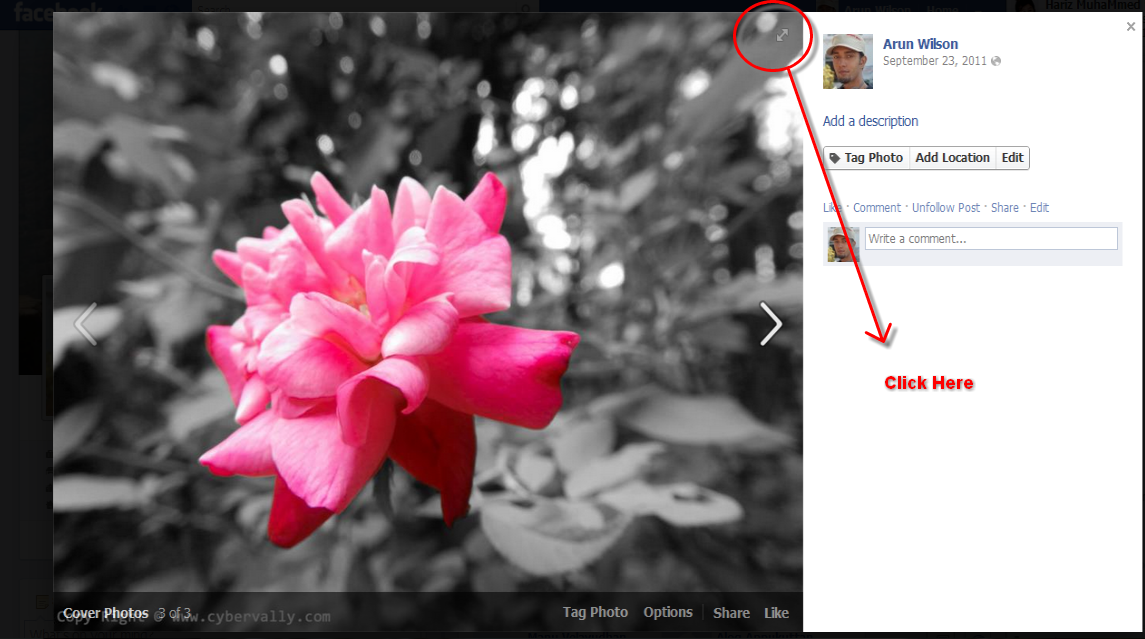
This will hide the comment bars and show only the image on the screen. At the bottom of the viewer gives users the ability to tag people, add location, change date, rotate the image and share options. Also can still do comments in full screen display by hitting the ‘Comments’ button.
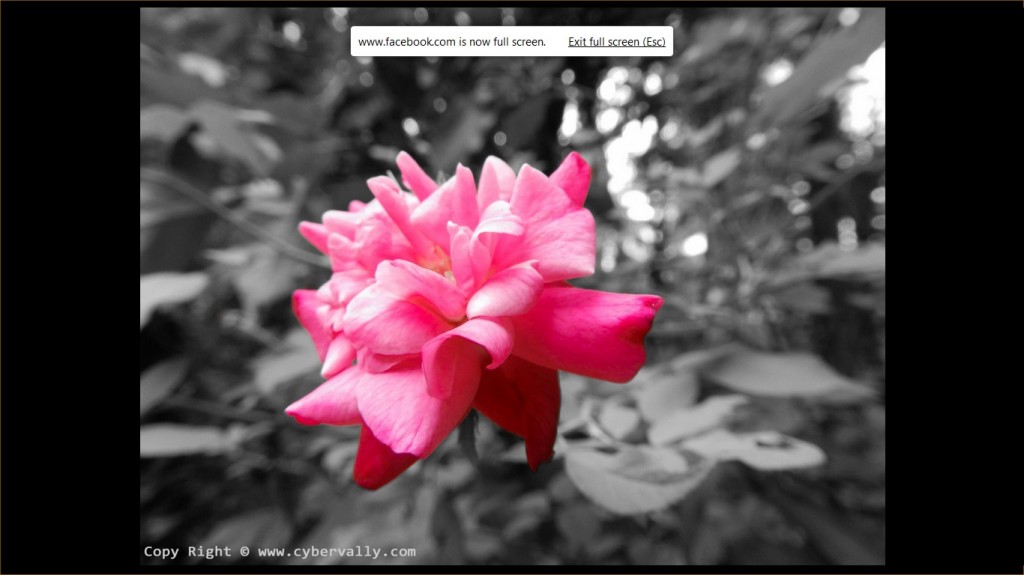
You can exit from full screen mode by hitting the ‘Esc’ key on your keyboard will remove the full screen mode and take back to the normal mode. Also exit from fullscreen mode by clicking “ Exit full screen†pop up on top of the photos. Also, remember to check the “High Resolution†box when uploading photos.
You can follow us on Twitter or join our Facebook fan page to keep yourself updated on all the latest from Microsoft, Google and Apple.

