


All over the world ISPs are in the process of enabling the IPv6 protocol which is then available for usage in addition to the currently used IPv4 protocol. Windows Vista and Windows 7 users do not need to enable or configure their operating system for IPv6 usage as it is enabled by default.
How to Enable IPv6
Method One
1) Go to ” Run” and type ” CMD ” then press enter
2) Type following commands  separately and press ” Enther ” after each of them
- netsh
- interface
- ipv6
- install
3)Â Now you can access the IPv6 properties from the Network Connections windows for a particular network card.
Method Two
1) Open a Run dialog by pressing Windows Key + R.
2) Type cmd in the Run dialog and press Enter.
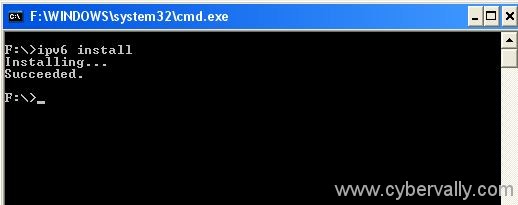
3) In the command prompt window, type ipv6 install and press Enter. You would see that IPv6 is being installed.
4)You can check the IPv6 properties from the Network Connections windows for a particular network card.


2 Comments