


You want to run multiple applications at the same time with out cluttering your desktop.Microsoft has created a Power plug-in for Windows 7 called “Virtual Desktop”. With Virtual Desktop you can create 4 individual desktops. You can even view all 4 desktops at once to see what application is running on each desktop. Â It comes as a slef executable file, there is no installation need, you could even carry it with your USB drive.
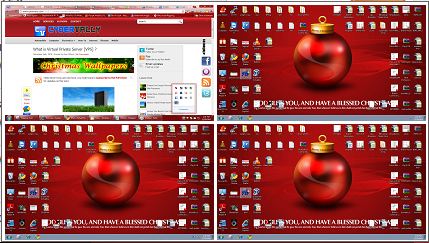
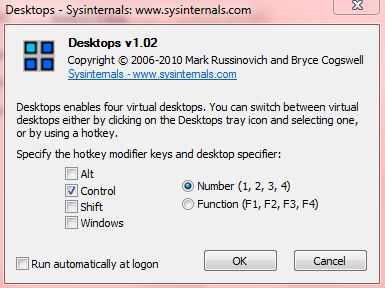
You can switch desktops by clicking on the tray icon or by using the hot keys. It is not possible to move application from one desktop to another desktop. Desktops is not compatible with some application that doesn’t like multiple instances.
I’m using one desktop for browsing, second one for manage my blog, third one for chat and fourth one for music and videos, without clutter of windows.
[Download Virtual Desktop Here]
If you enjoyed reading this post, please consider leaving a comment below or subscribing to the feed 😀


Sysinternals has lots of great software I have used in the past. However they dropped the ball on this product IMO. This app is only good if you need to run multiple applications and don’t want them all running from the same desktop. Sysinternals should have implemented the feature to have each desktop use it’s own set of icons. You would have a totally new blank desktop for desktop # 2 for instance that you then fill with icons/shortcuts for programs of your choice. This is how all the popular virtual multiple desktops work in Linux and Mac. Windows has fallen way behind and are out of touch with what features the masses want. Just do a Google search.. people love those virtual desktops of Linux and Mac and they are shocked to find MS isn’t keeping up with the times. MS did have Virtual Desktop Manager for Windows XP but they choose not to include such an app in windows 7 – now at a time when Linux and mac are way more popular and more people are using these systems side by side with Windows, That was a really dumb deal on the part of MS. Go ahead MS, keep shooting yourself in the foot and you will find more people dropping you like a hot potato and switching to other systems.