


You want to copy all your important data to a safe place? Worried about that slow copy operation? Don’t worry, use TeraCopy to speed up the process.TeraCopy enables you to copy and move files faster and easier. Unlike the standard Windows copy/move options, TeraCopy can resume broken file transfers, skip and report bad files.
Advantages of TeraCopy
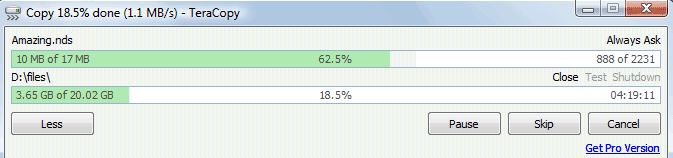
- Copy files faster. TeraCopy is a compact program designed to copy and move files at the maximum possible speed
- Pause and resume file transfers. Pause copy process at any time to free up system resources and continue with a single click.
- Error recovery. In case of copy error, TeraCopy will try several times and in the worse case just skip the file, not terminating the entire transfer.
- Interactive file list. TeraCopy shows failed file transfers and lets you fix the problem and recopy only problem files.
- Shell integration. TeraCopy can completely replace Explorer copy and move functions, allowing you work with files as usual.
[ Download TeraCopy ]

